Topology
Eyewear

MMXVIII–MMXX

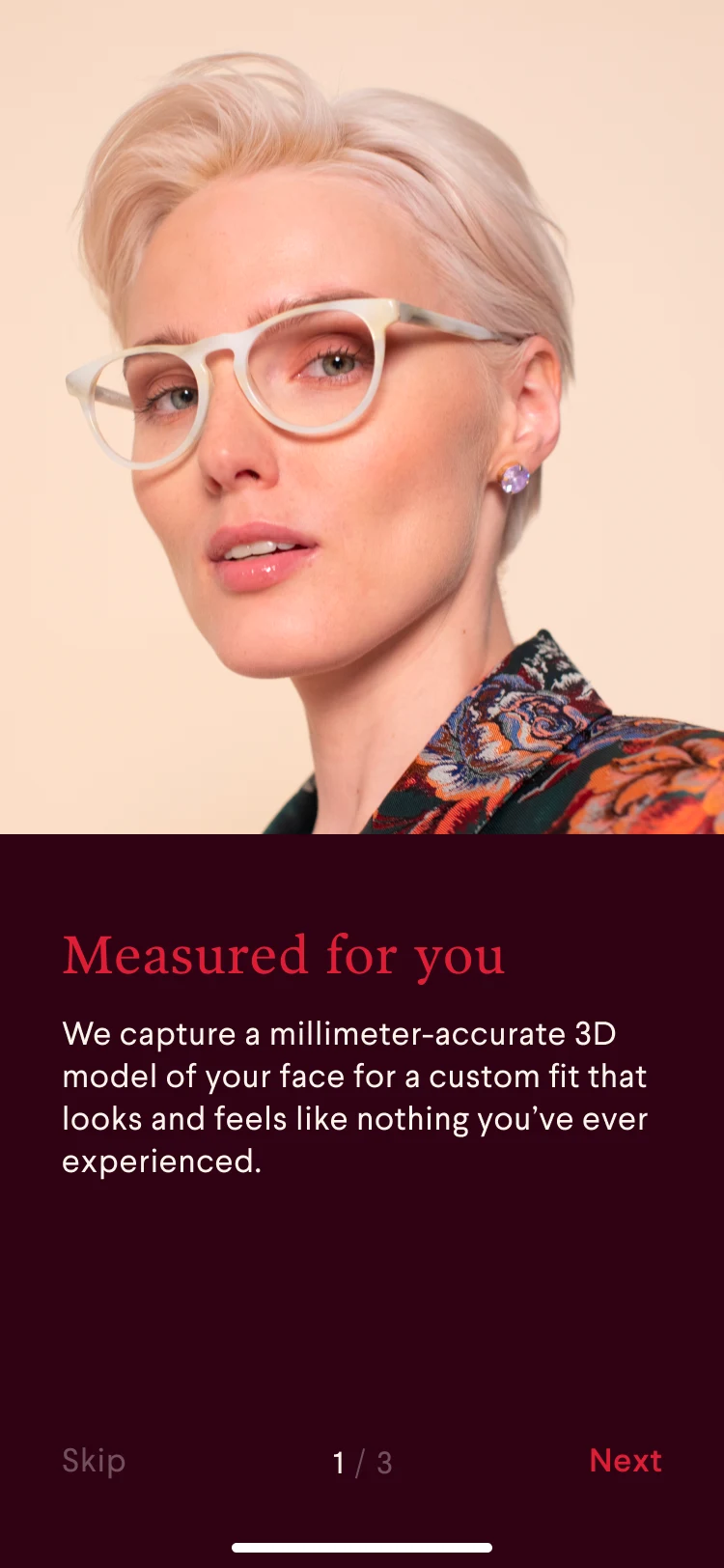
The app’s first screen: a portrait of a woman in pale glasses, and under it “Measured for you. We capture a millimeter-accurate 3D model of your face for a custom fit that looks and feels like nothing you’ve ever experienced.”

Glasses made for one face, from a scan on a phone

October 2018 to May 2020

Topology makes glasses to measure. You scan your face with a phone, try frames on in augmented reality, and the pair you order is made for you. I joined as Product Designer in 2018 and became Lead Product Designer five months later. I owned the full product: the phone app, the iPad app opticians use in the shop, and bringing the new brand into both.

+30%online sales, with the try-on
−40%customer inquiries, after the app was simplified
+40%retailer engagement
+60%user satisfaction, after the rebrand
Role
Lead Product Designer, promoted from Product Designer after five months
Product
Custom-fit eyewear: a 3D scan of your face, try-on in augmented reality, glasses made to measure
Scope
The full product: the phone app, the iPad app opticians use in the shop, and the new brand in both
Markets
Launched across the USA and Canada

The start

Every pair is made for one face

Topology makes each pair of glasses for the person who will wear it.

The app scans your face, shows the frames on you, and the pair you order is made to your measurements.

The app was already live when I joined as Product Designer in October 2018, and my job was to redesign it. In March 2019 I became Lead Product Designer and owned the full product.

Who was involved

Me
Product Designer, then Lead Product Designer. I owned the phone app, the iPad app for opticians, and the new brand in both.
A co-founder
He led product, and we worked on it together.
iOS engineers
Built the phone app and the iPad app. We worked out together what could be built.
Computer vision engineers
Built the scan, the measurements and the try-on. I designed how people use them.
A brand studio
Designed the new identity. I carried it into the apps and built the library from it.

The product

From a face to a pair of glasses

Scan

The app builds a 3D model of your face, accurate to the millimetre.

A practice scan comes first, with a guide for placing your face in the frame.

Try on

You see the frames on your own face.

Change the frame, the colour and the tint, adjust the fit, and keep the ones you like.

Made to measure

The pair you order is made for your face.

You can have a prototype sent home to try first, then order the final pair.

  1. Scan

    A 3D model of your face.

  2. Try on

    The frames, shown on you.

  3. Prototype

    A pair to try at home before you buy.

  4. Final pair

    Made to your measurements.

The rebrand

A new brand, brought into the app

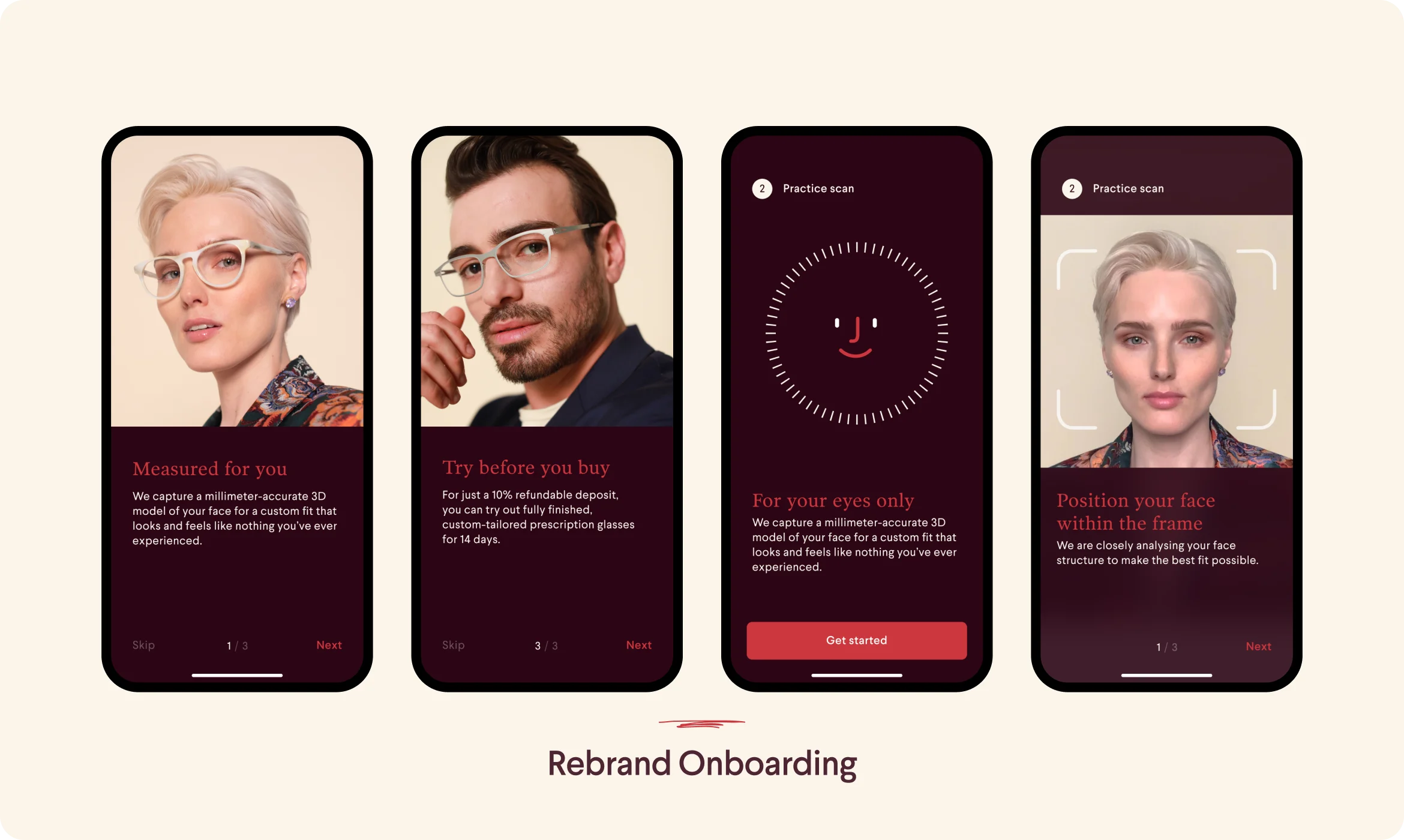
An outside studio designed Topology’s new identity. I brought it into the product, and onboarding was the first thing rebuilt in it.
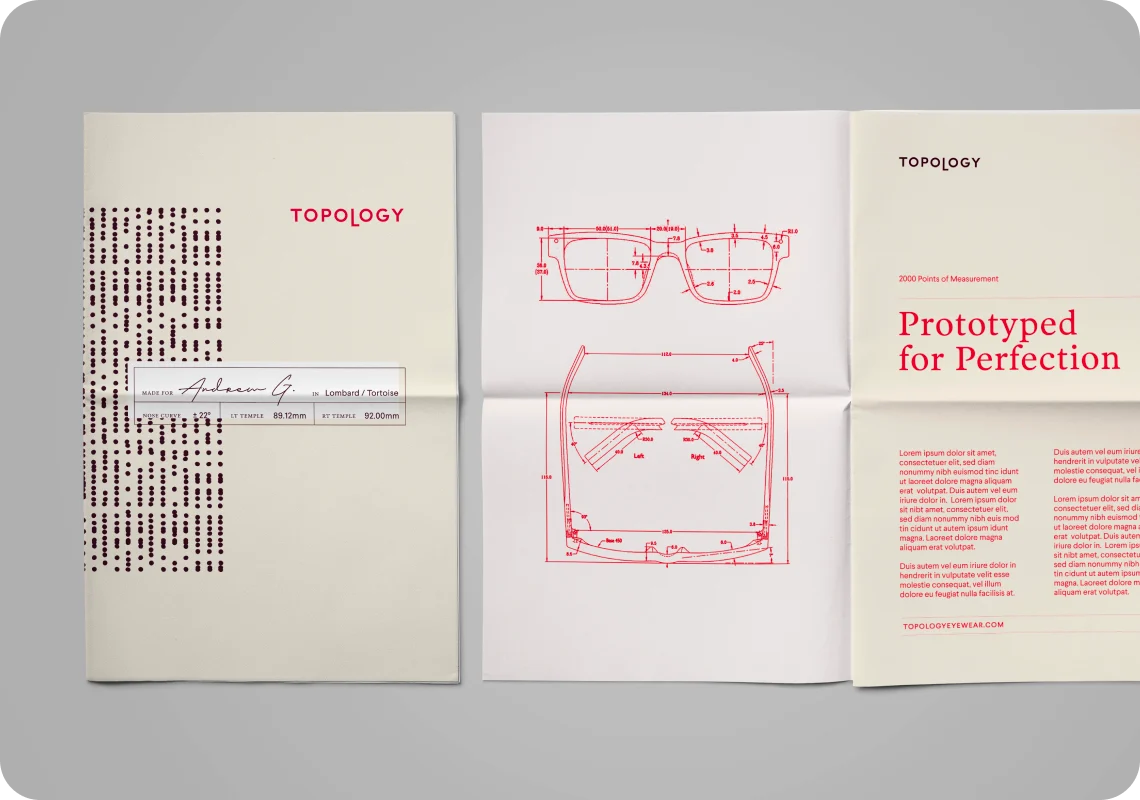
Three printed pieces in the new brand: a cover with the Topology wordmark and a pattern of dots, a red technical drawing of a frame with its measurements, and a page titled Prototyped for Perfection
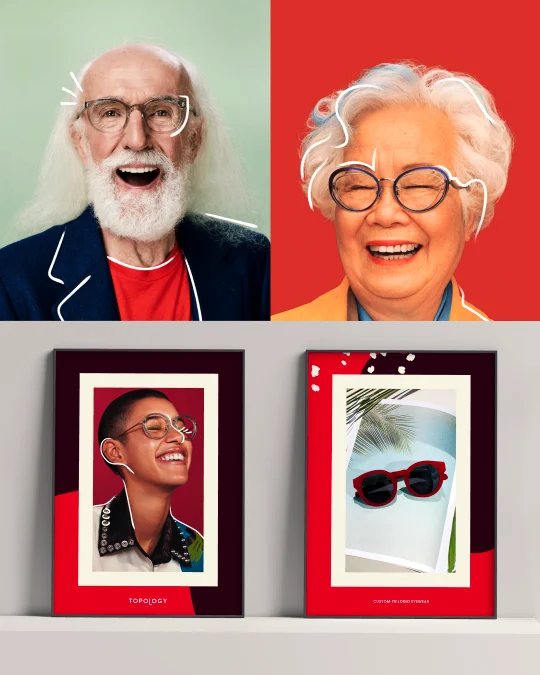
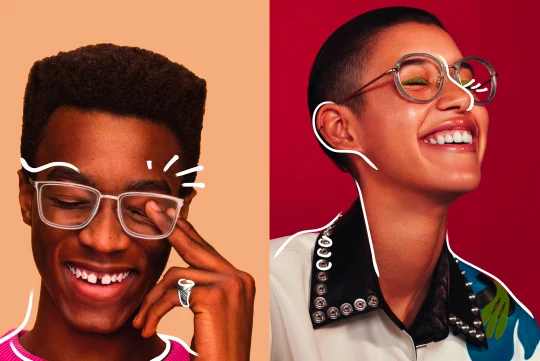
Two portraits of people laughing in Topology glasses, with white brush lines drawn over the photographs
Two more portraits with drawn lines, and below them two framed prints in the brand’s red and wine
Four onboarding screens in the new brand, each in a phone: Measured for you; Try before you buy; For your eyes only, with a face drawn from the letters of the logo inside a ring; and Position your face within the frame

The try-on

The frames, on your own face

You can check the fit, ask for advice, and switch frame, colour and tint on one screen.

Each frame has its own page, with what it is made of, its price and who it suits.

To fit the arms, the app asks for three pictures of your ears and shows how to take each one.
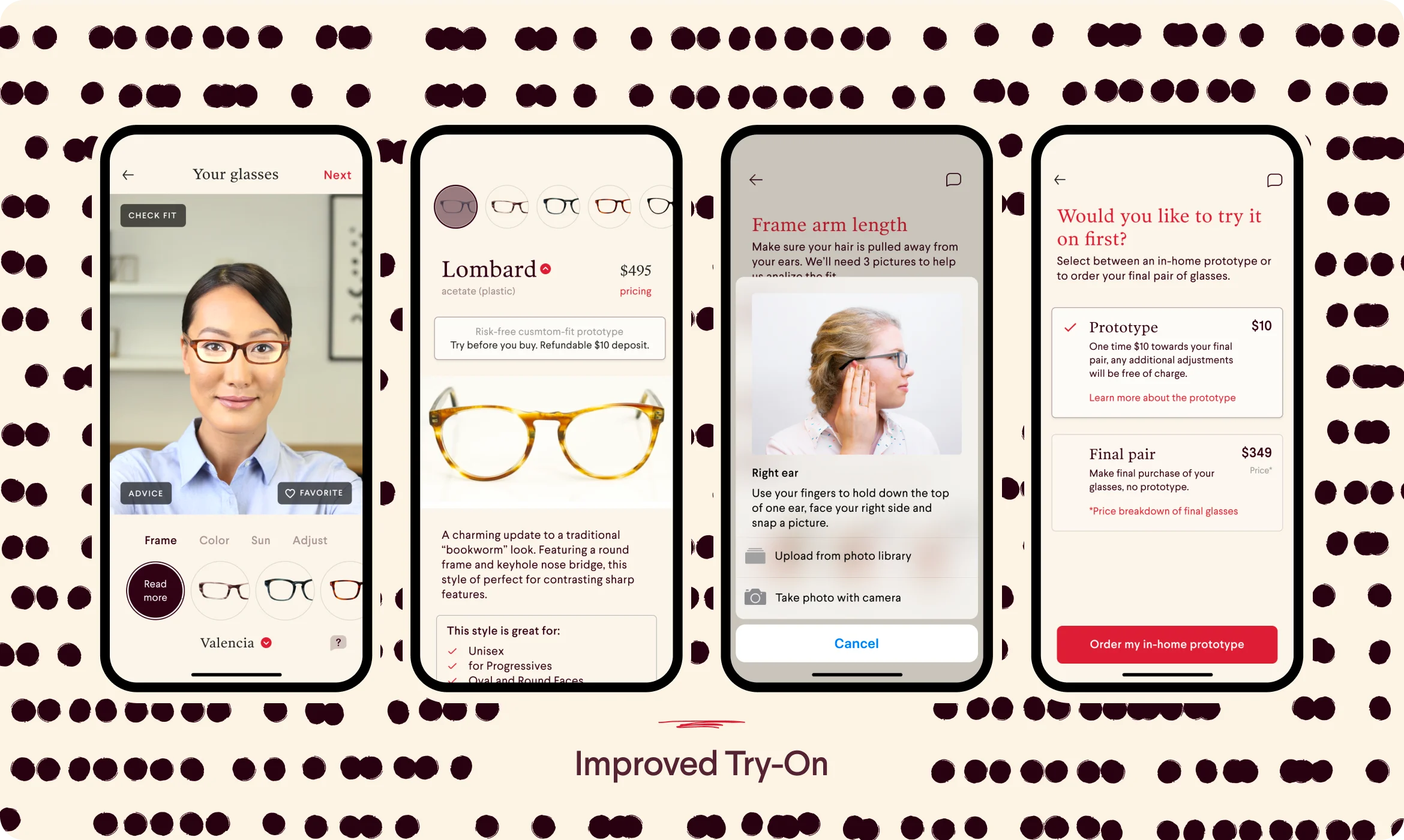
Four screens of the try-on, each in a phone: a woman wearing a frame chosen under tabs for frame, colour, sun and adjust; the page for a frame called Lombard; a guide for photographing your right ear to measure the arm length; and a choice between a prototype and the final pair

One measurement, start to finish

Measuring the distance between your eyes

The centre of each lens has to sit in front of your pupil, so the app measures the distance between your eyes twice: once looking at the phone, once looking past it.

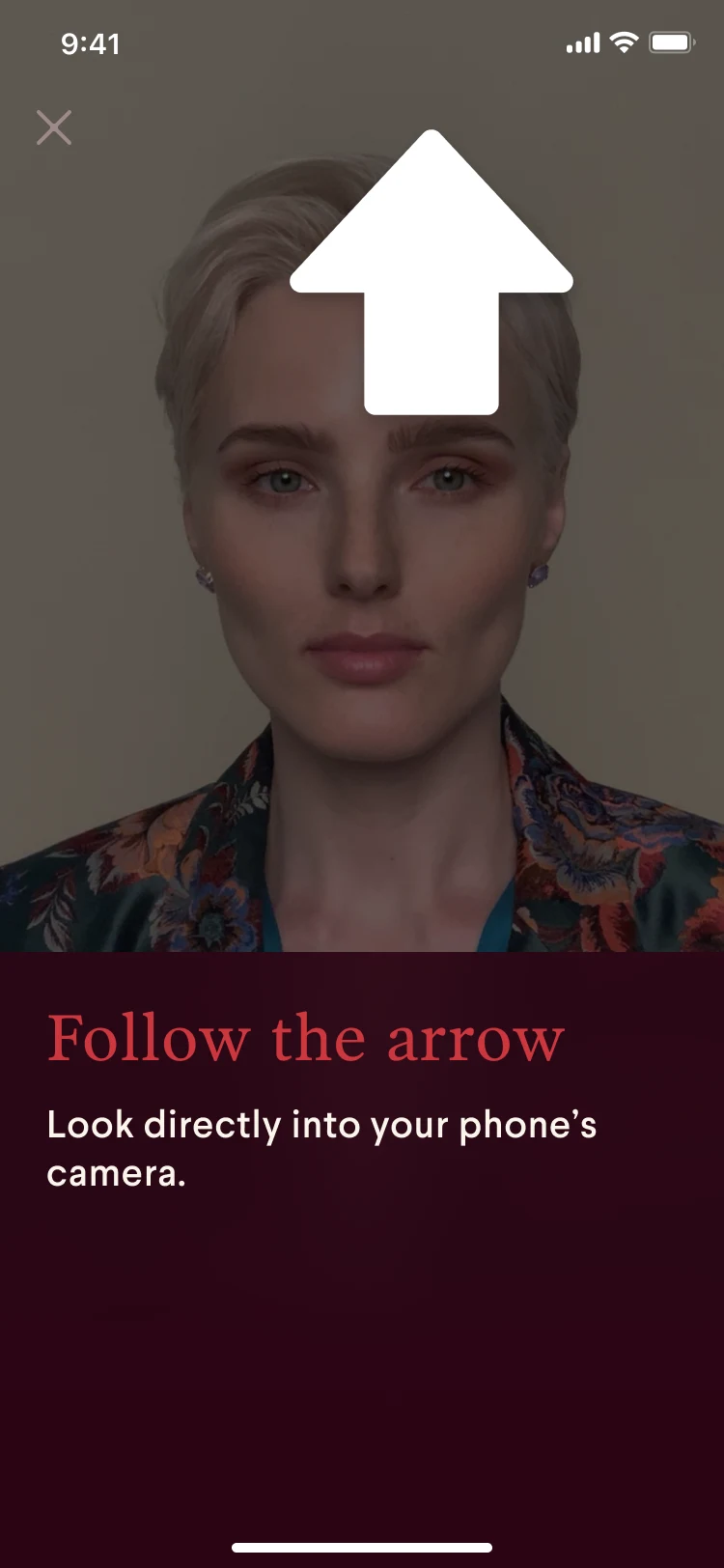
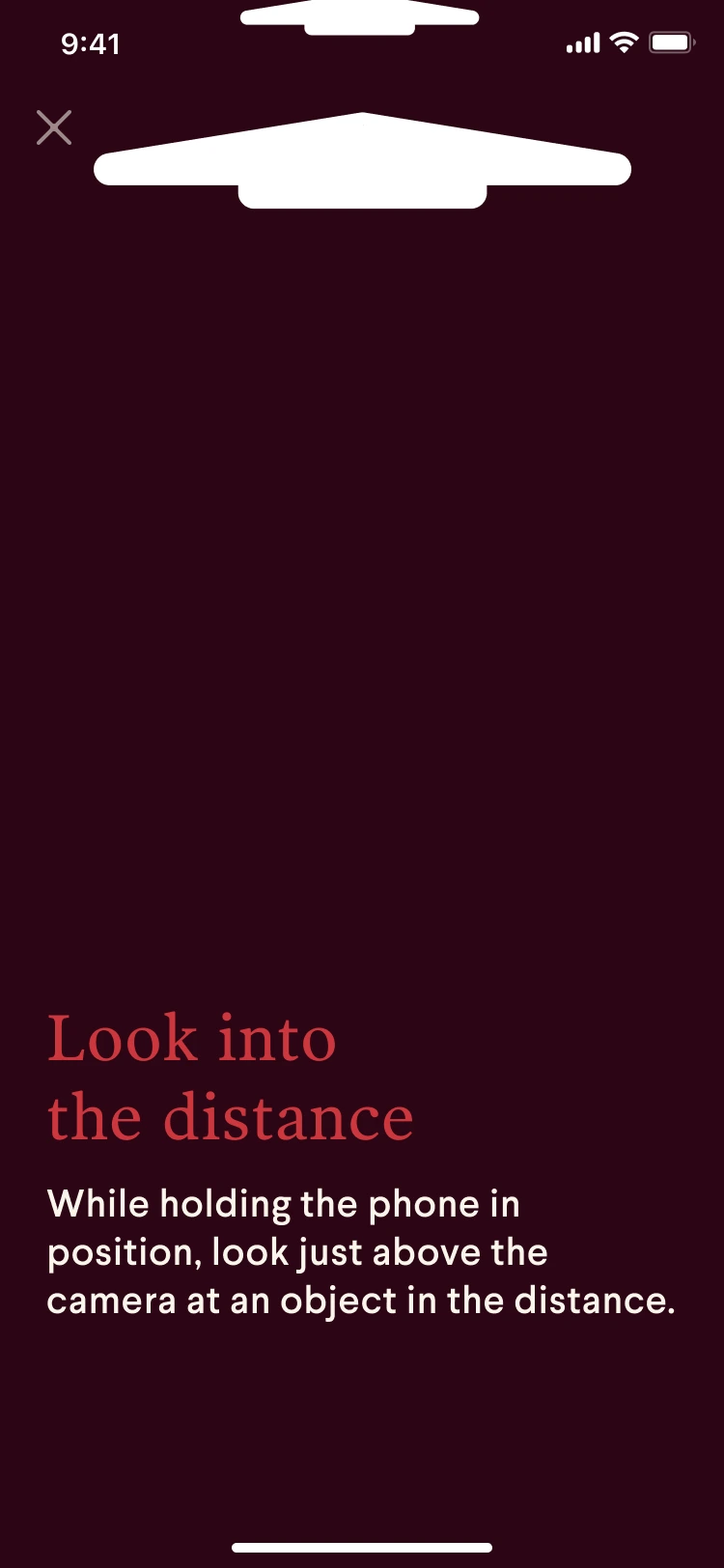
For the second capture you look away from the screen, so the phone talks you through it. A voice gives each step, the phone taps when a capture is done, and the camera view gives way to a single arrow.
What the phone says

Near
“Follow the arrow and look directly into your phone’s camera. Continue to focus for 3 seconds.”
Far
“Now, follow the arrow to look just above your phone and into the distance. Maintain that focus for 3 seconds.”
Done
“Great, you can put your glasses back on now. Please keep the app open as we process your capture.”
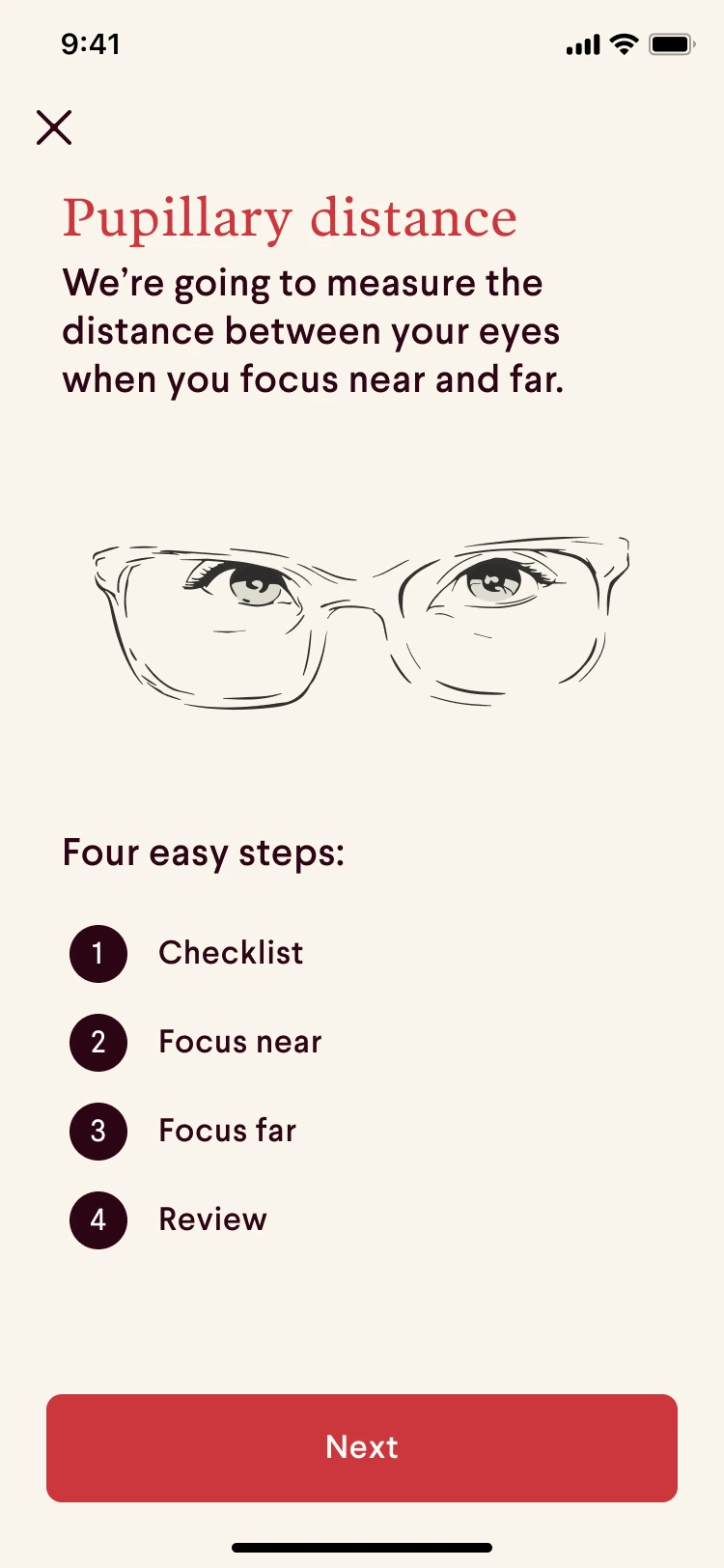
  1. The first screen: “Pupillary distance. We’re going to measure the distance between your eyes when you focus near and far.” A drawing of a pair of eyes behind glasses, then four easy steps: checklist, focus near, focus far, review
    Intro
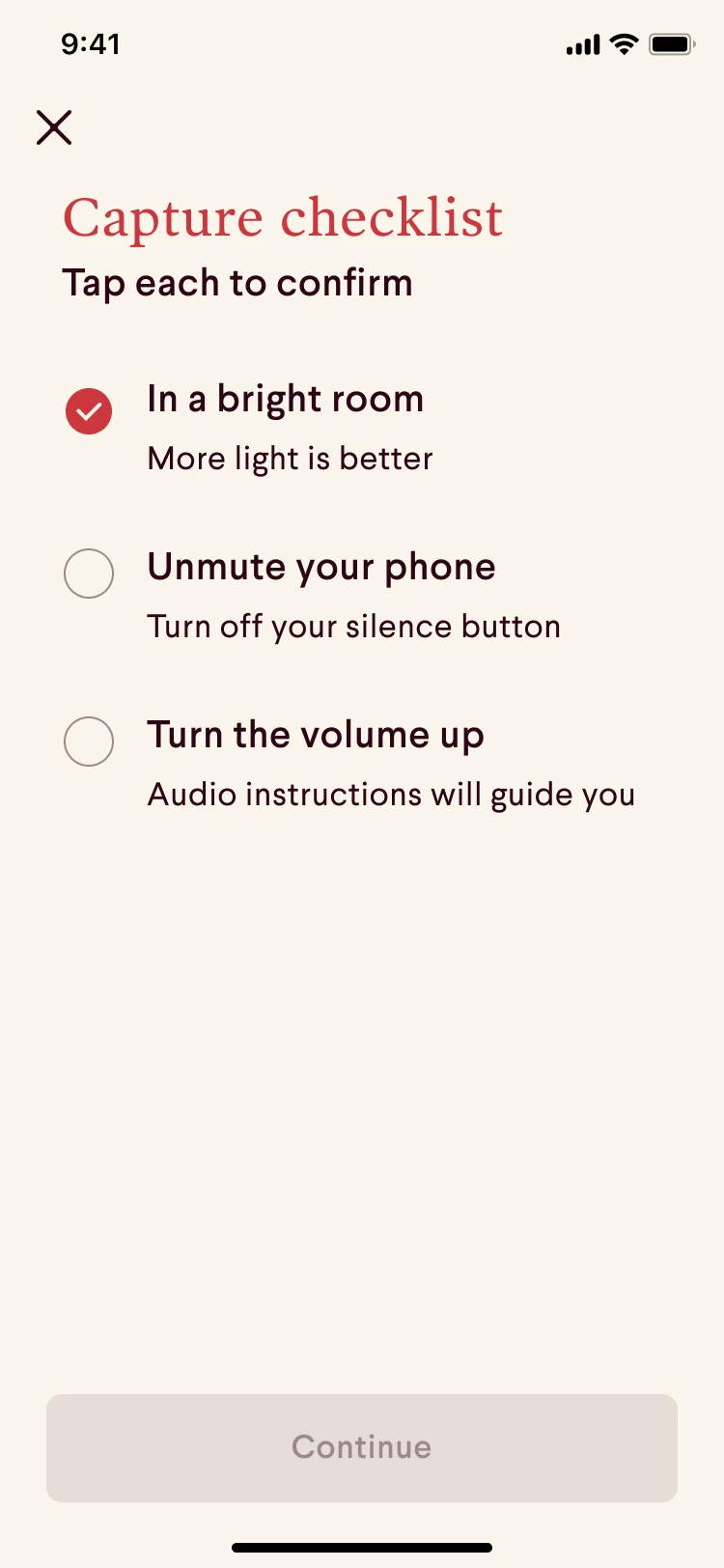
  2. A checklist to tap through: in a bright room, unmute your phone, turn the volume up because audio instructions will guide you
    Checklist
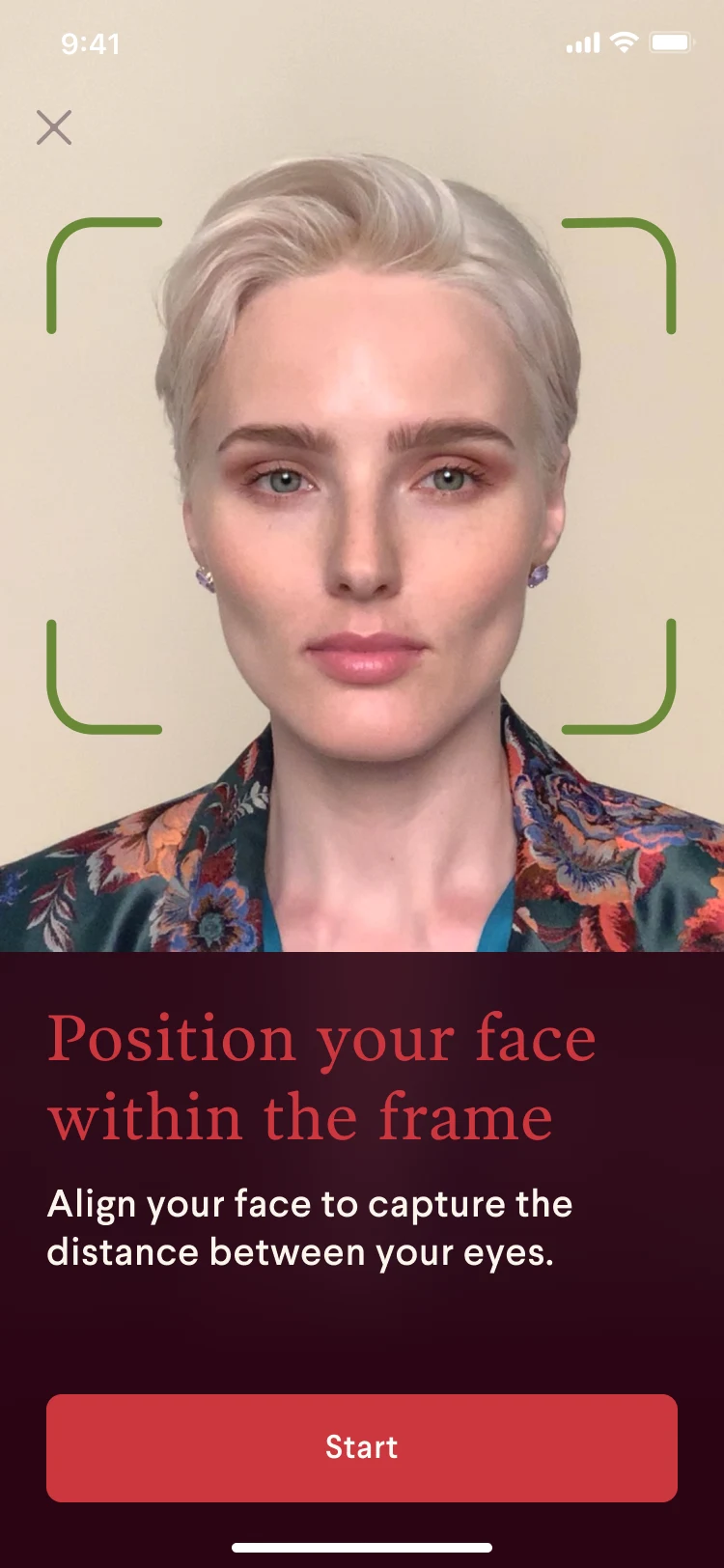
  3. The camera shows a woman’s face inside green corner marks: “Position your face within the frame”, with a red Start button
    Line up
  4. The camera view dims and a large white arrow points up to the phone’s camera: “Follow the arrow. Look directly into your phone’s camera.”
    Near
  5. The camera view is gone; only the arrow is left, moving off the top of the screen: “Look into the distance. While holding the phone in position, look just above the camera at an object in the distance.”
    Far
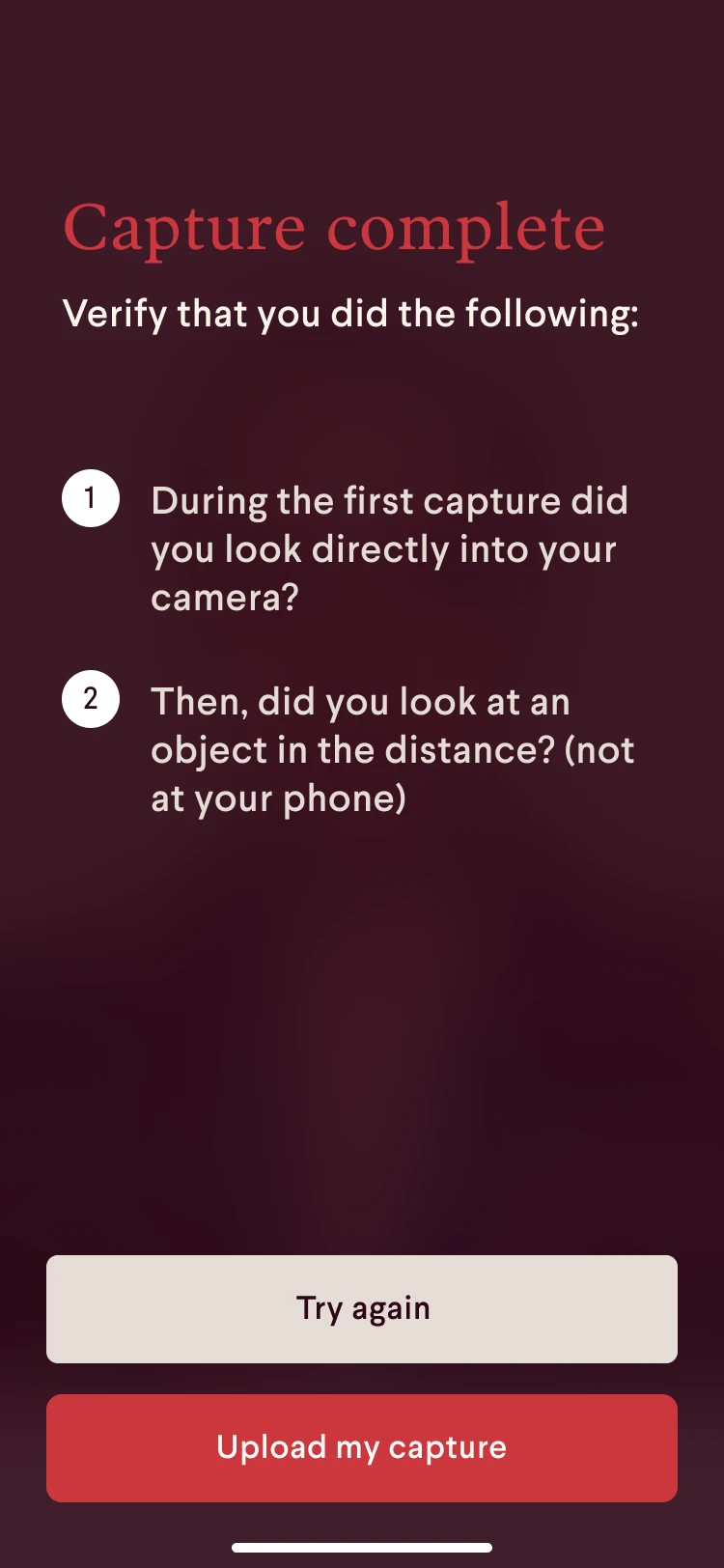
  6. “Capture complete. Verify that you did the following”: two questions about where you looked, then Try again or Upload my capture
    Review

What we had to work out

  1. Holding the phone

    People held it at the wrong distance or angle, or in poor light. A checklist and a frame on screen get them in position first.

  2. Looking away

    You can’t read a screen you aren’t looking at, so every step is spoken.

  3. Accuracy

    The number has to be right for a prescription lens, so the capture ends with a review before it is sent.

  4. Length

    The first versions asked for too much. With engineering I cut it down to these six screens.
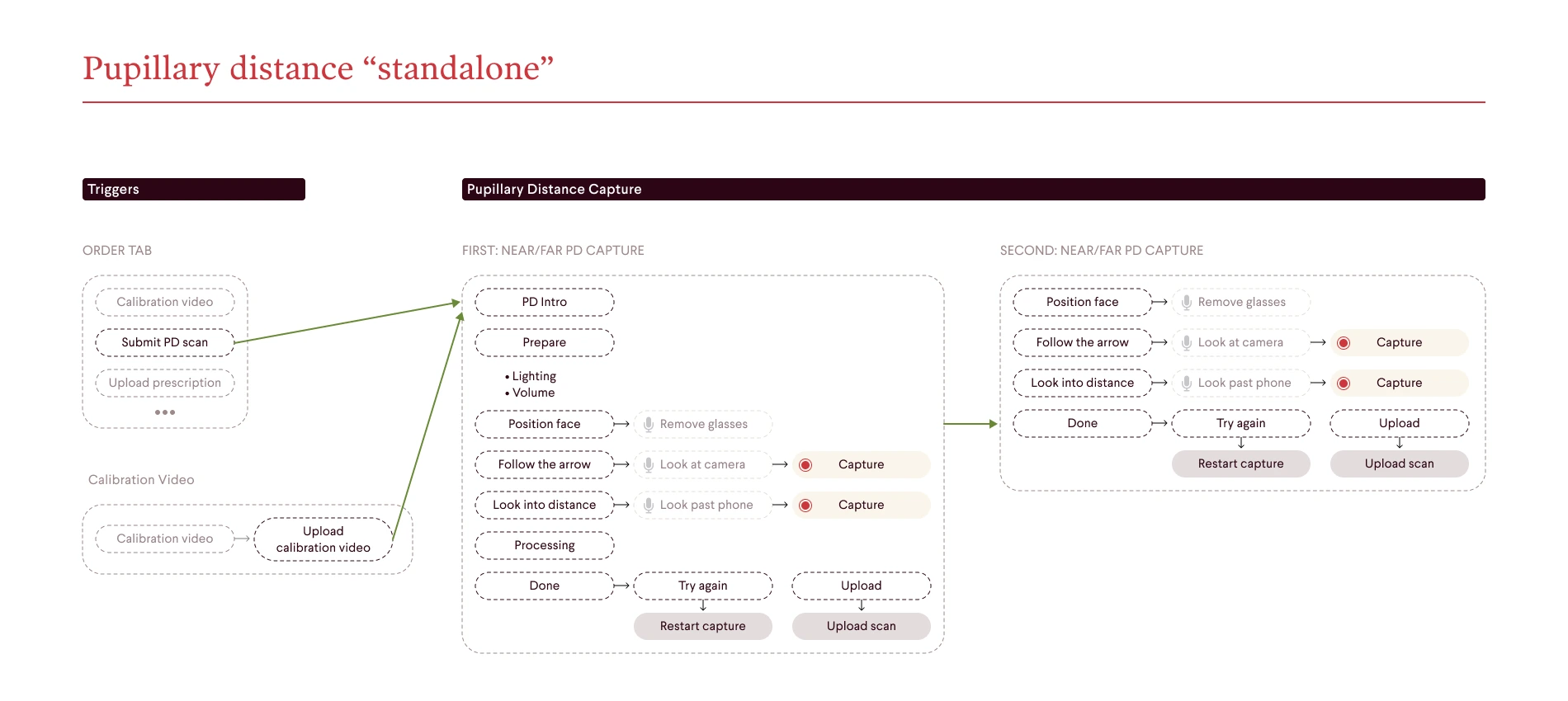
The flow drawn as a map: what starts the capture, then prepare, position the face, look at the camera, look into the distance, processing, and done, with the ways back to try again; a second pass repeats the two captures

Try before you buy

A prototype first, if you want one

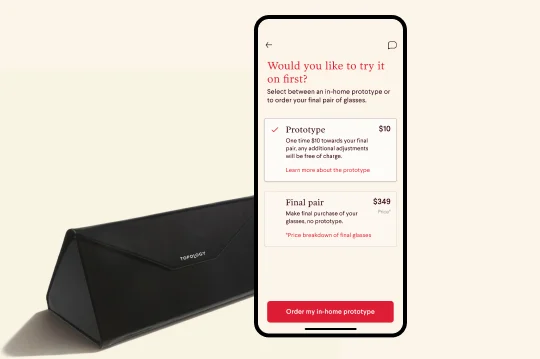
You can try a prototype at home before you order the final pair.

The prototype costs $10, and that goes toward the final pair. Adjustments after it are free.
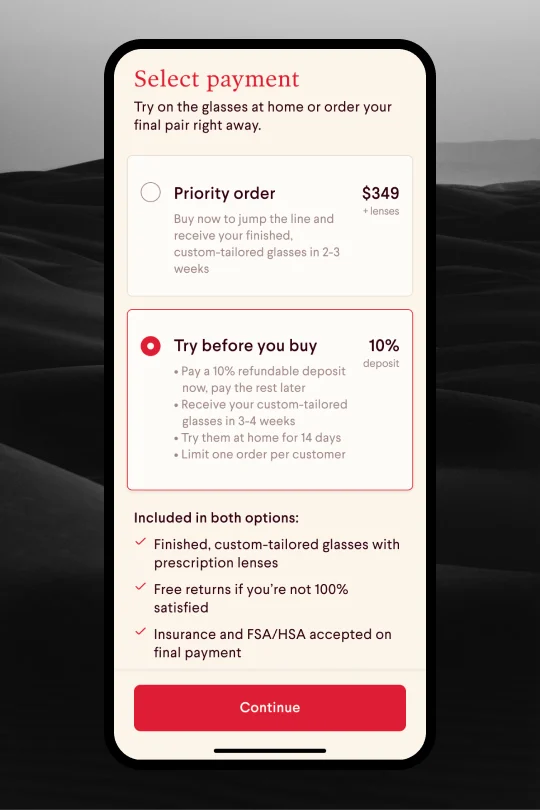
The payment screen in a phone: a priority order of the finished glasses, or try before you buy with a refundable deposit
A screen asking “Would you like to try it on first?”, with a prototype at $10 and the final pair, beside a folded glasses case

In the shop

The same fit, in an optician’s hands

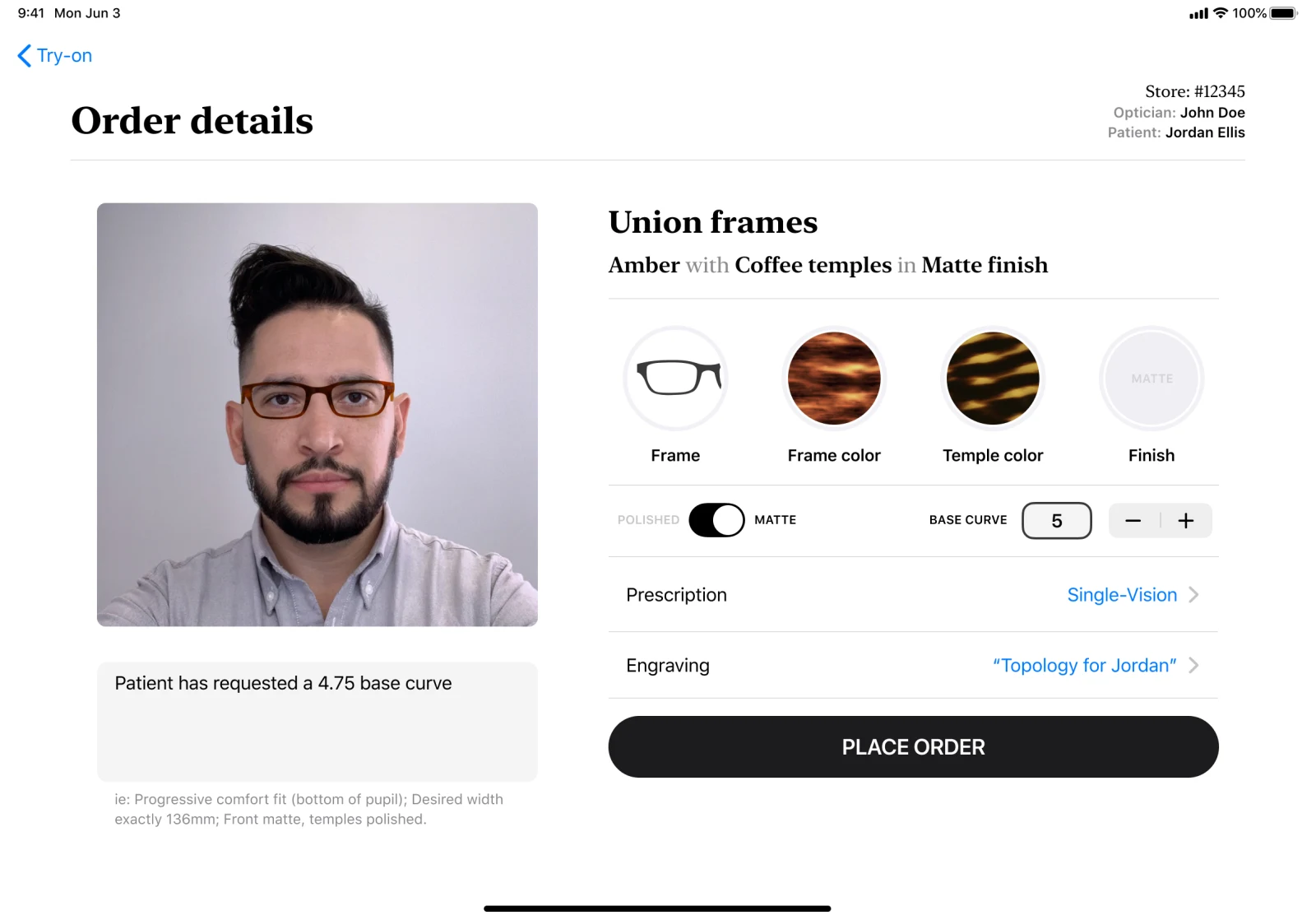
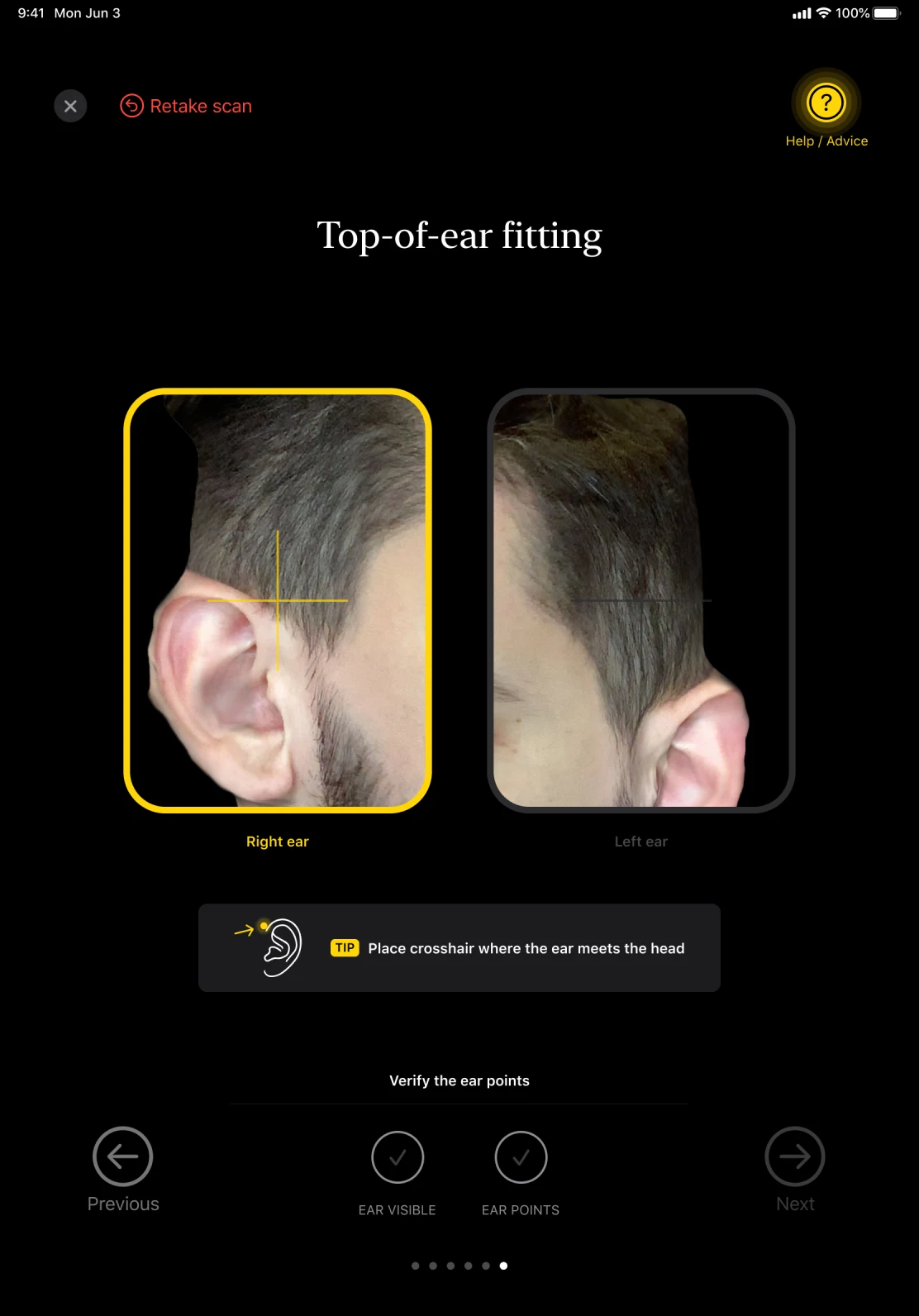
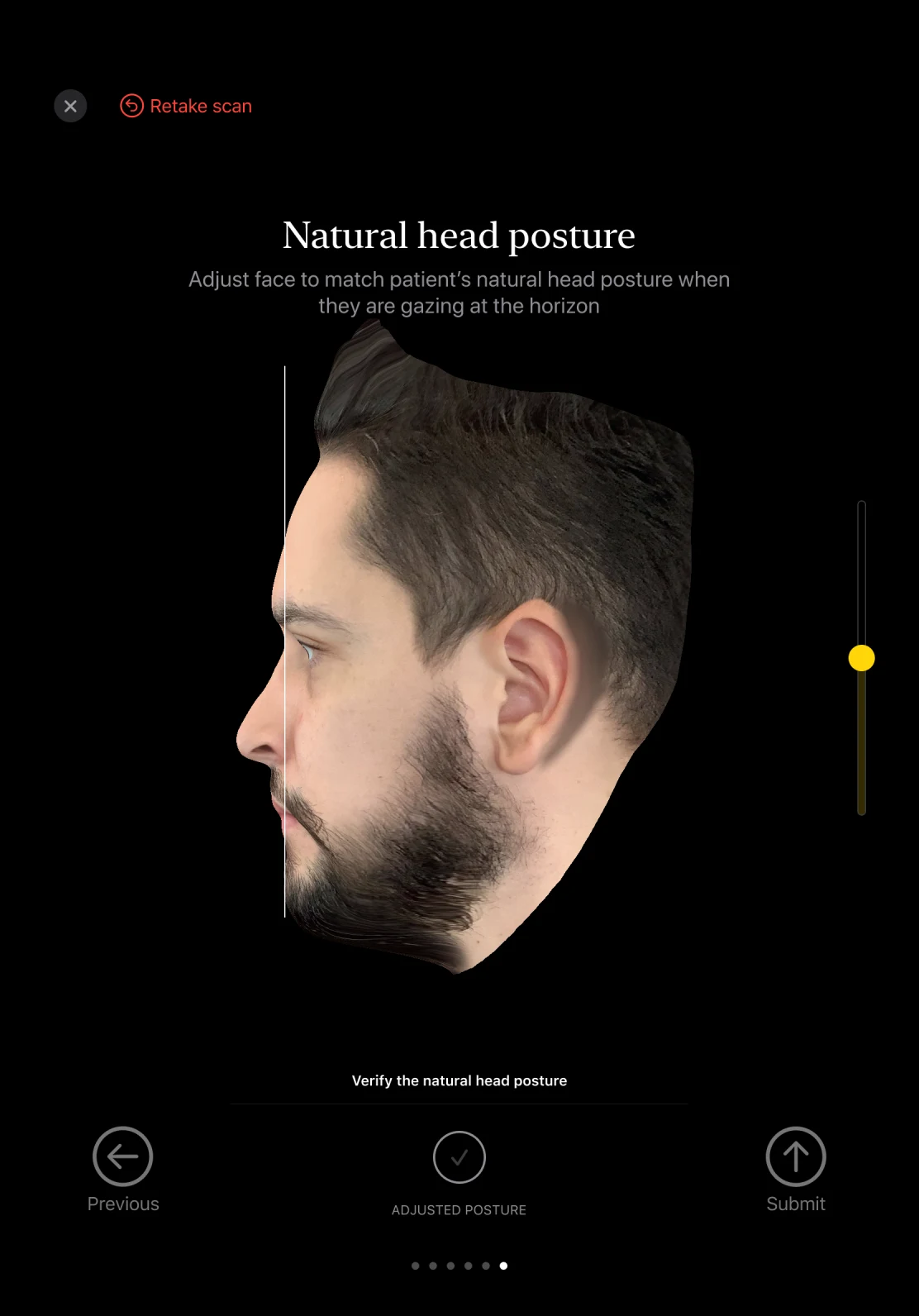
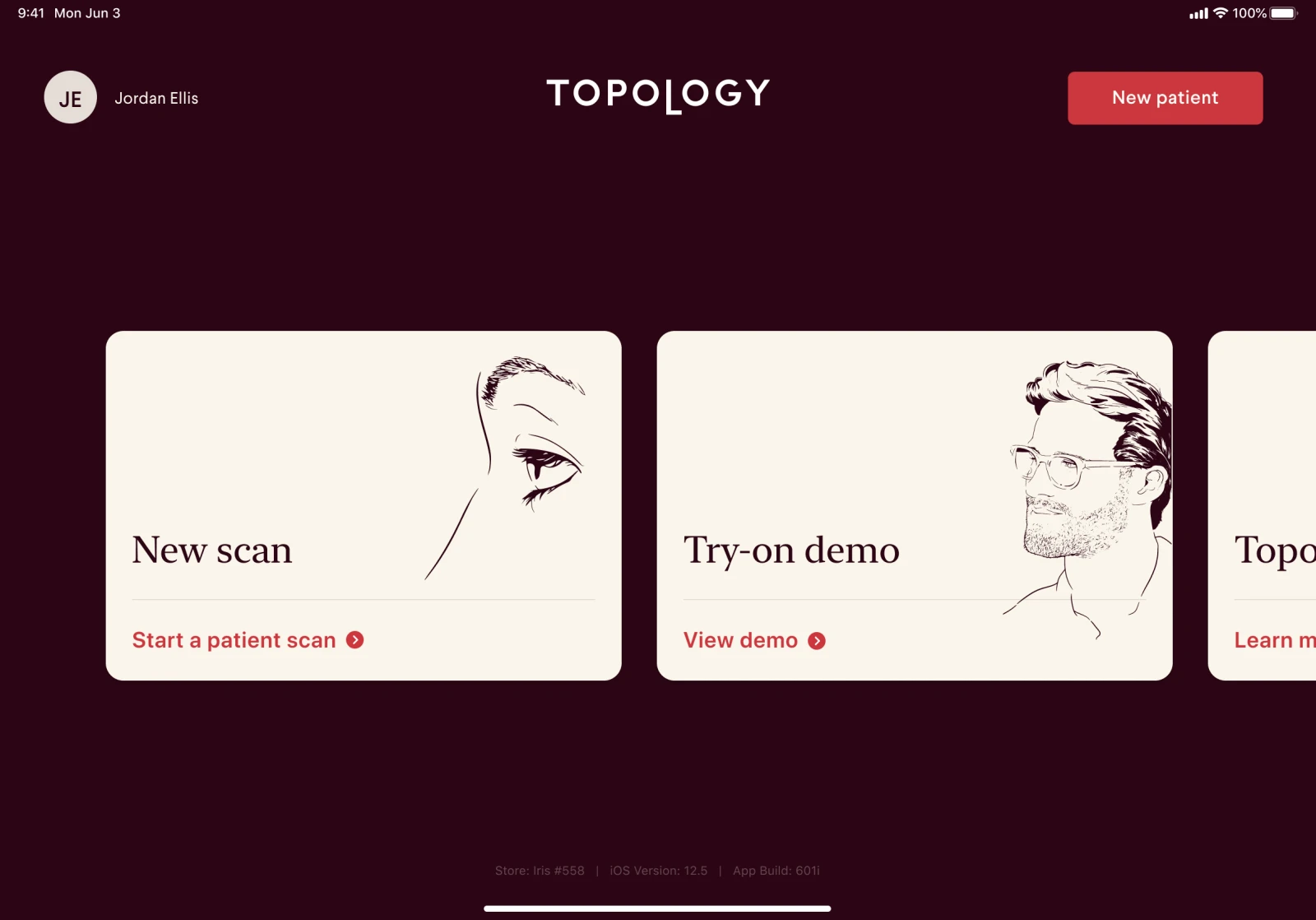
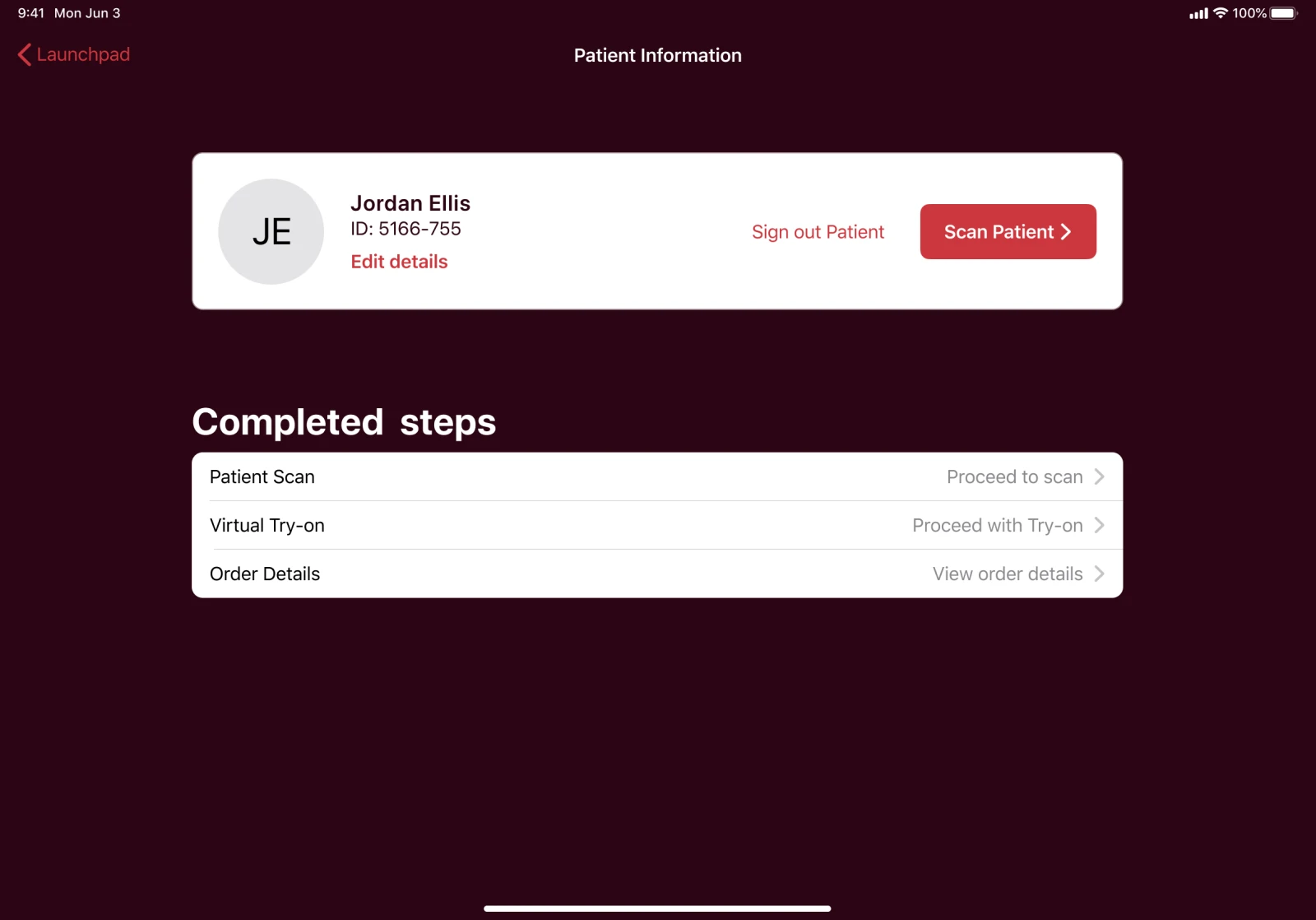
A few shops piloted the fitting on an iPad. The optician finds or adds the patient, scans, tries frames on, and writes the order.

After the scan the optician checks it by hand: where each ear meets the head, that the frame sits level, and how the patient holds their head when looking ahead.

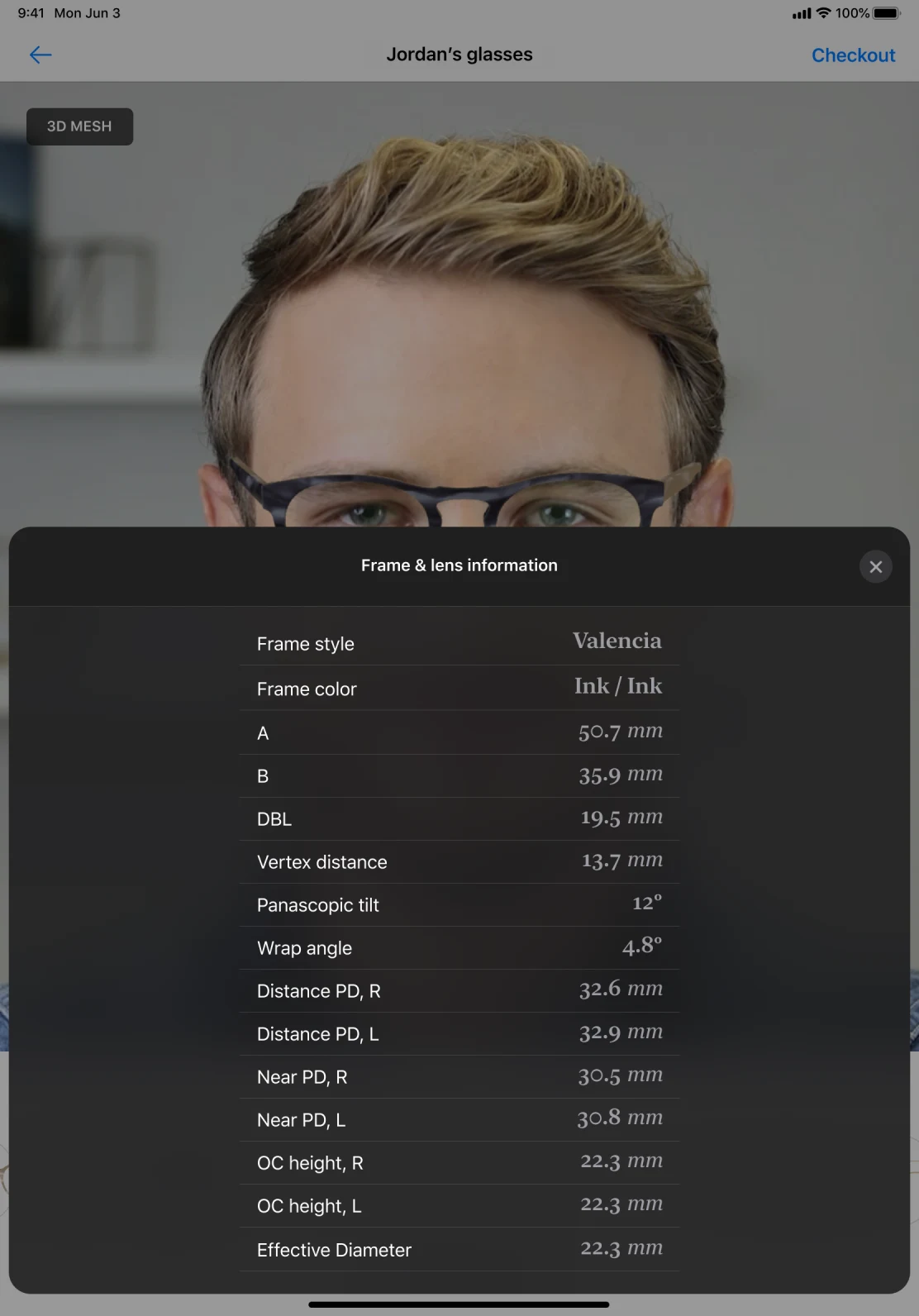
The try-on can show the measurements behind the fit: the frame’s size, its tilt and wrap, and the pupil distances near and far.
The system

One library behind every screen

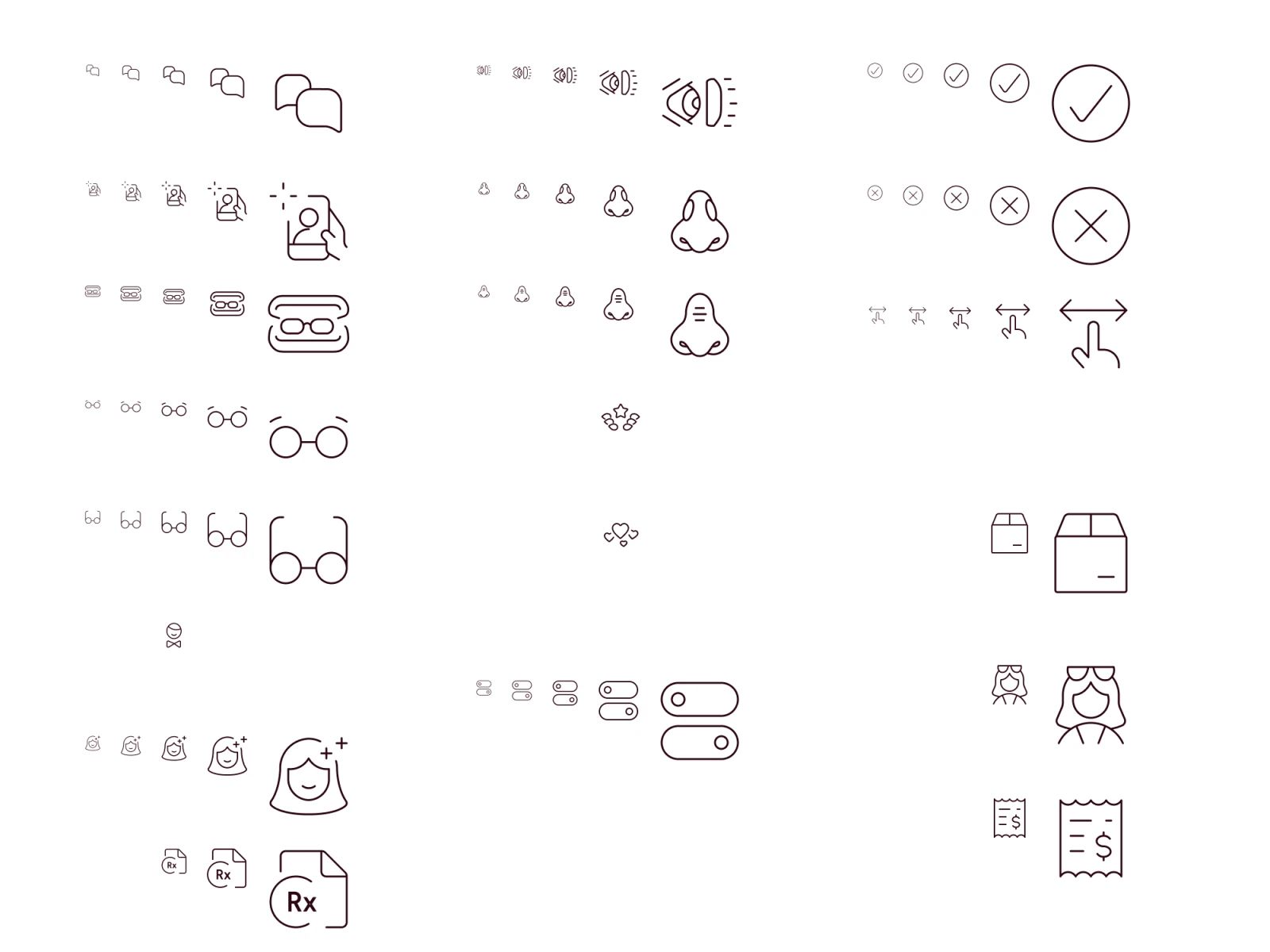
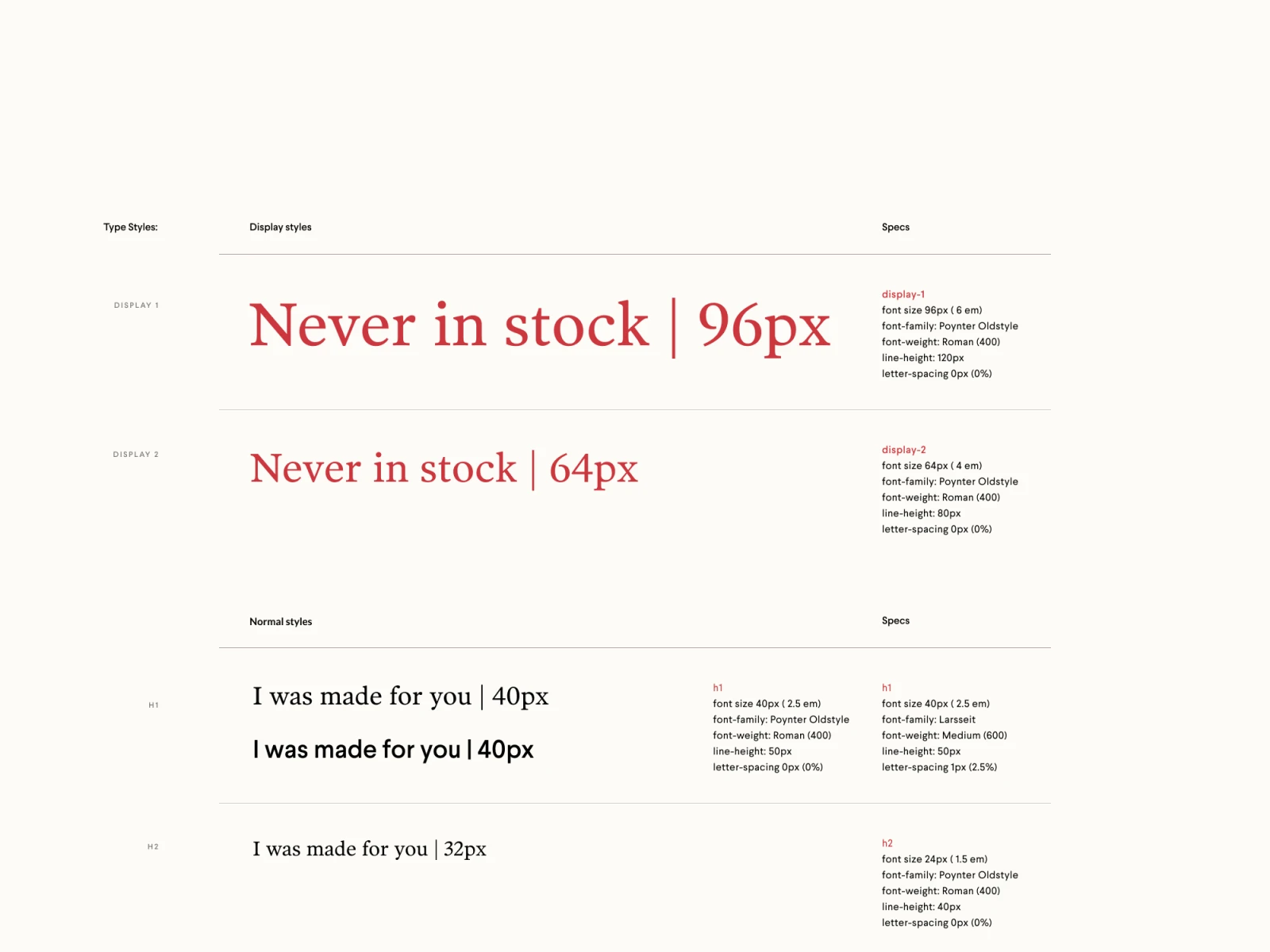
I built the library for the phone app, the iPad app and the web: colour, type, icons, and every frame with the colours it comes in.
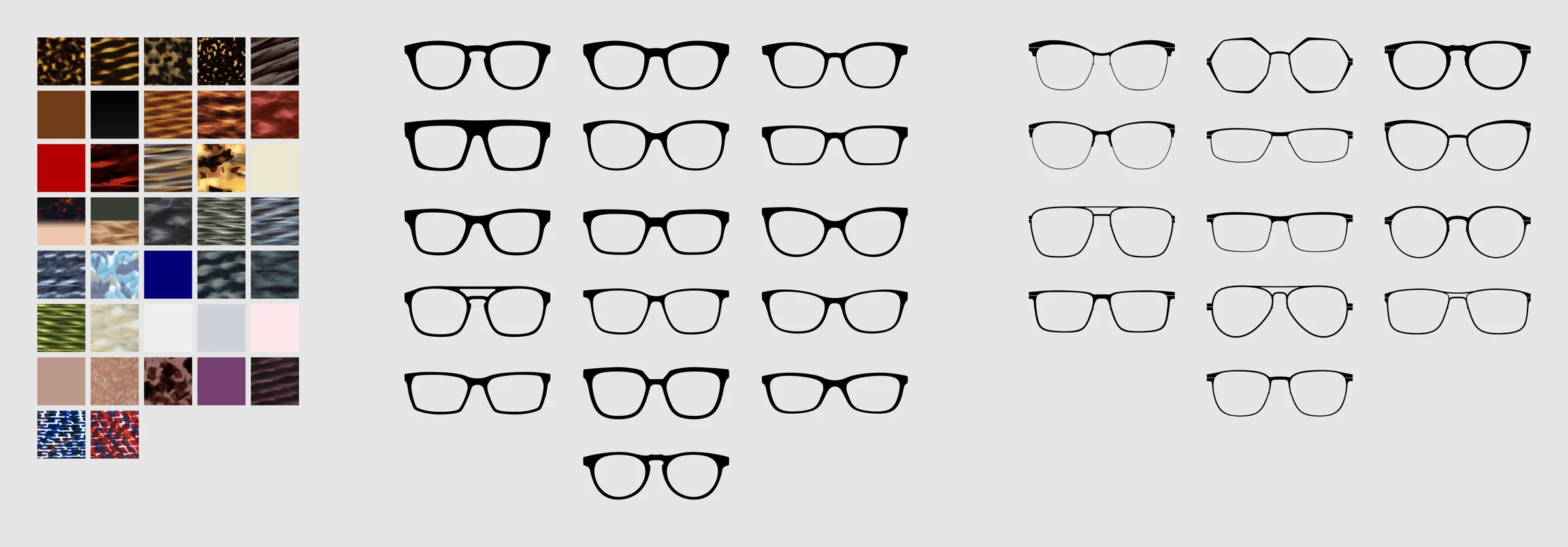
29frames, in acetate and metal
54frame colours
35text styles, for iOS, desktop and mobile web
A page of the library: on the left a grid of acetate colours, from tortoiseshell and honey to blues, greens and solids; beside it the acetate frames as black outlines, and the metal frames as fine outlines
The type styles: “Never in stock” at 96 and 64 pixels in a red serif, then headings reading “I was made for you” in the serif and in a sans serif, each with its size, weight and line height beside it
The icons, each drawn in five sizes: speech bubbles, a face scan, a glasses case, glasses, a nose, a tick and a cross, a parcel, a prescription, a receipt

The brand, 2020

Two directions for where the brand could go

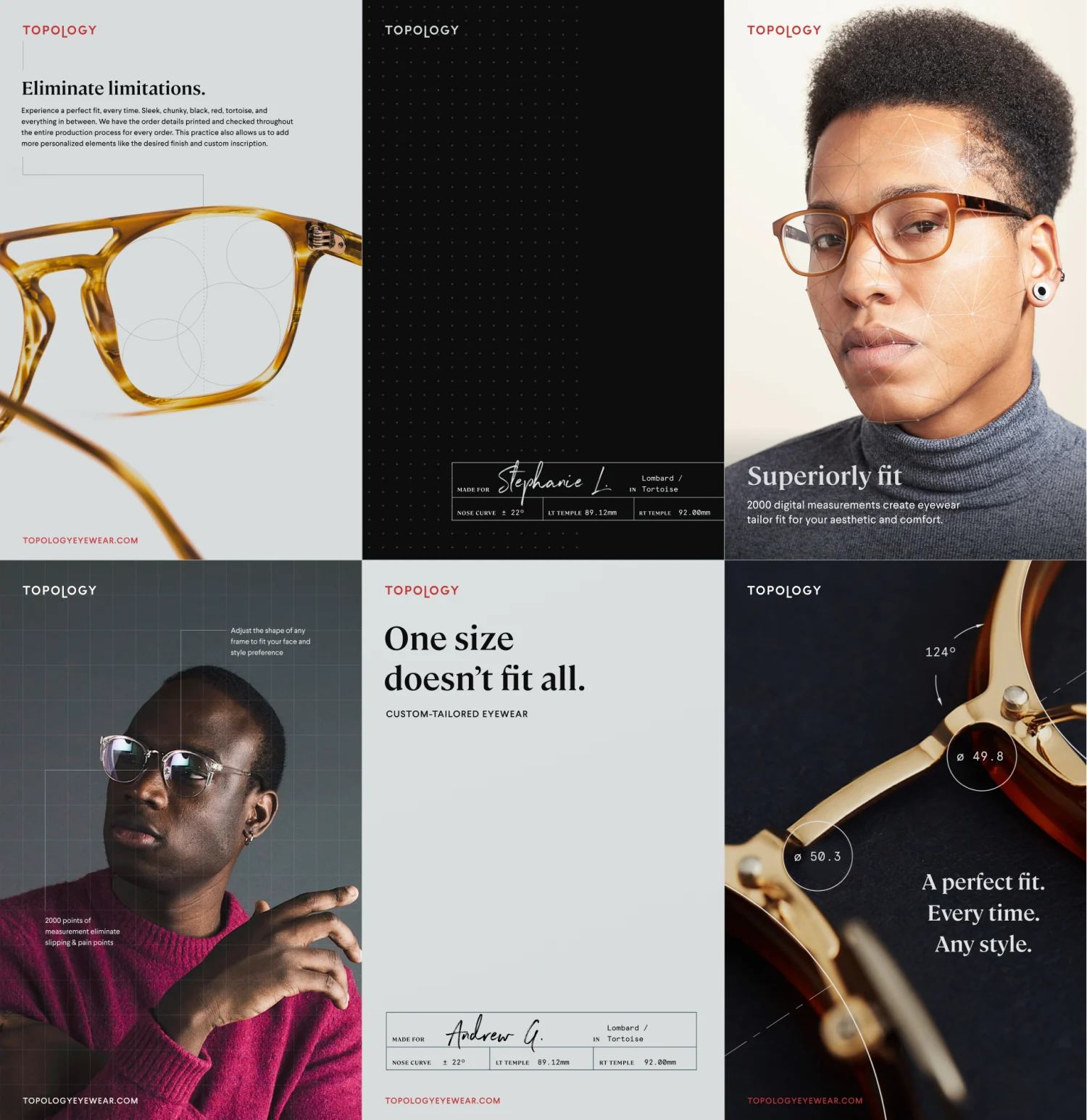
In 2020 I explored where the brand could go next, and tried each direction on posters, shop ads, the website and both apps. The high-end direction was chosen and shipped.
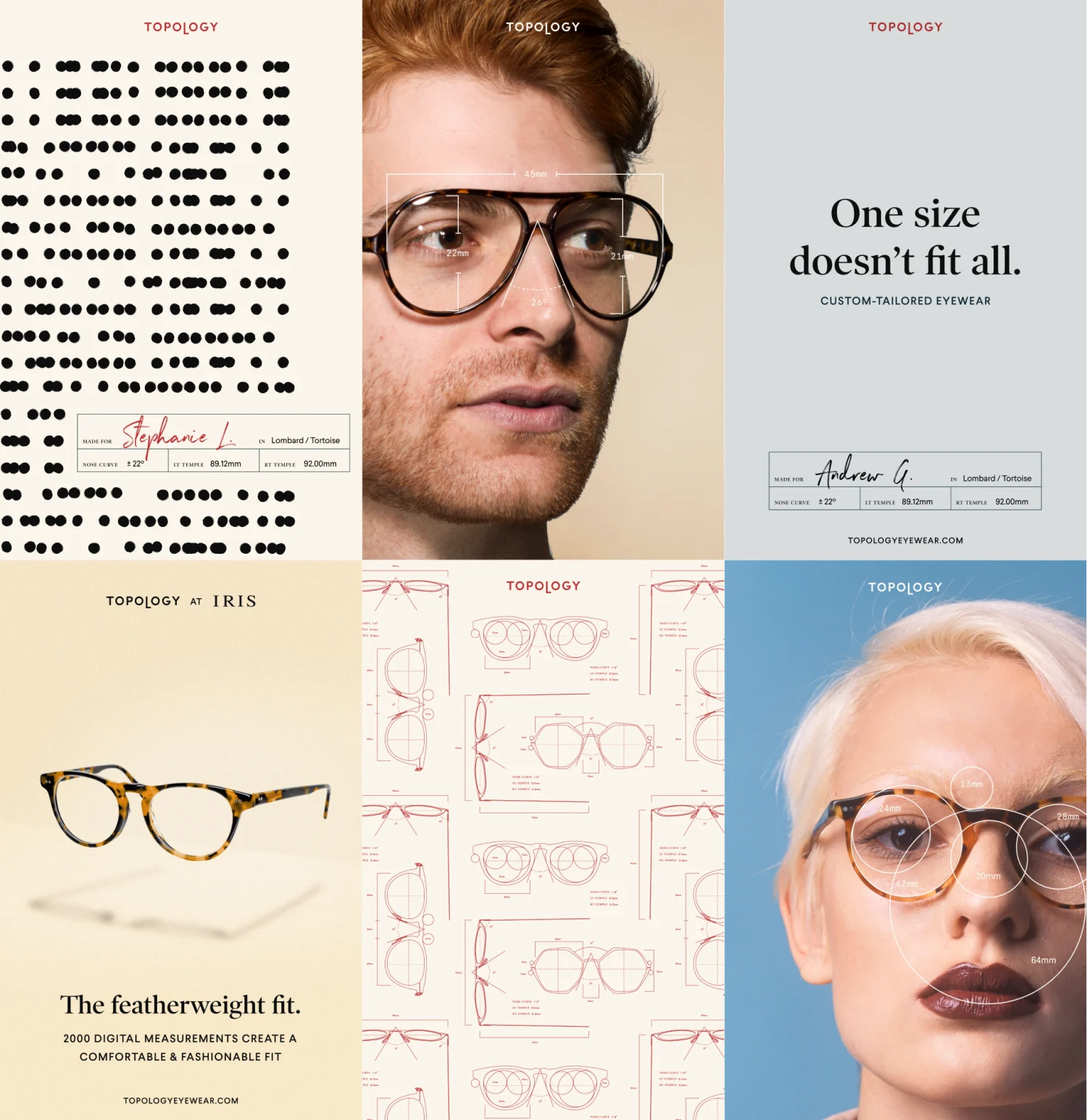
Friendly
Bright and light, with red as the accent. Drawings that read like technical sketches. Happy, open photography.
High-end
Dark and muted, with red as the accent. Fine line work that shows precision. More serious, fashion-led photography.
Six posters in the friendly direction: a pattern of black dots with a card reading Made for Stephanie L., a man’s face with measuring lines over his glasses, “One size doesn’t fit all. Custom-tailored eyewear”, a tortoiseshell frame with “The featherweight fit”, red technical drawings of frames, and a woman’s face with measuring circles
Six posters in the high-end direction: a honey frame with “Eliminate limitations”, a black poster with a made-for card, a portrait with “Superiorly fit”, a man in a magenta jumper on a dark grid, “One size doesn’t fit all”, and a close view of a gold hinge with its angles marked: “A perfect fit. Every time. Any style.”

The glasses

What arrives

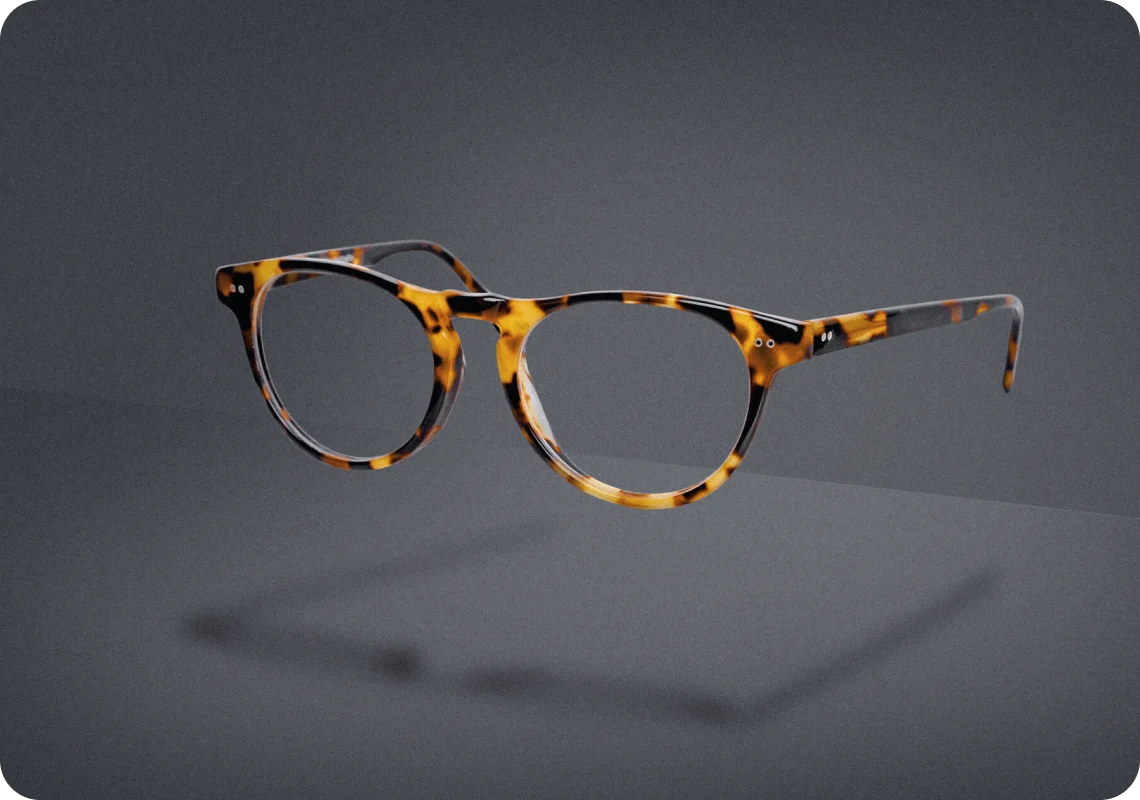
A tortoiseshell frame, seen from the front and slightly above
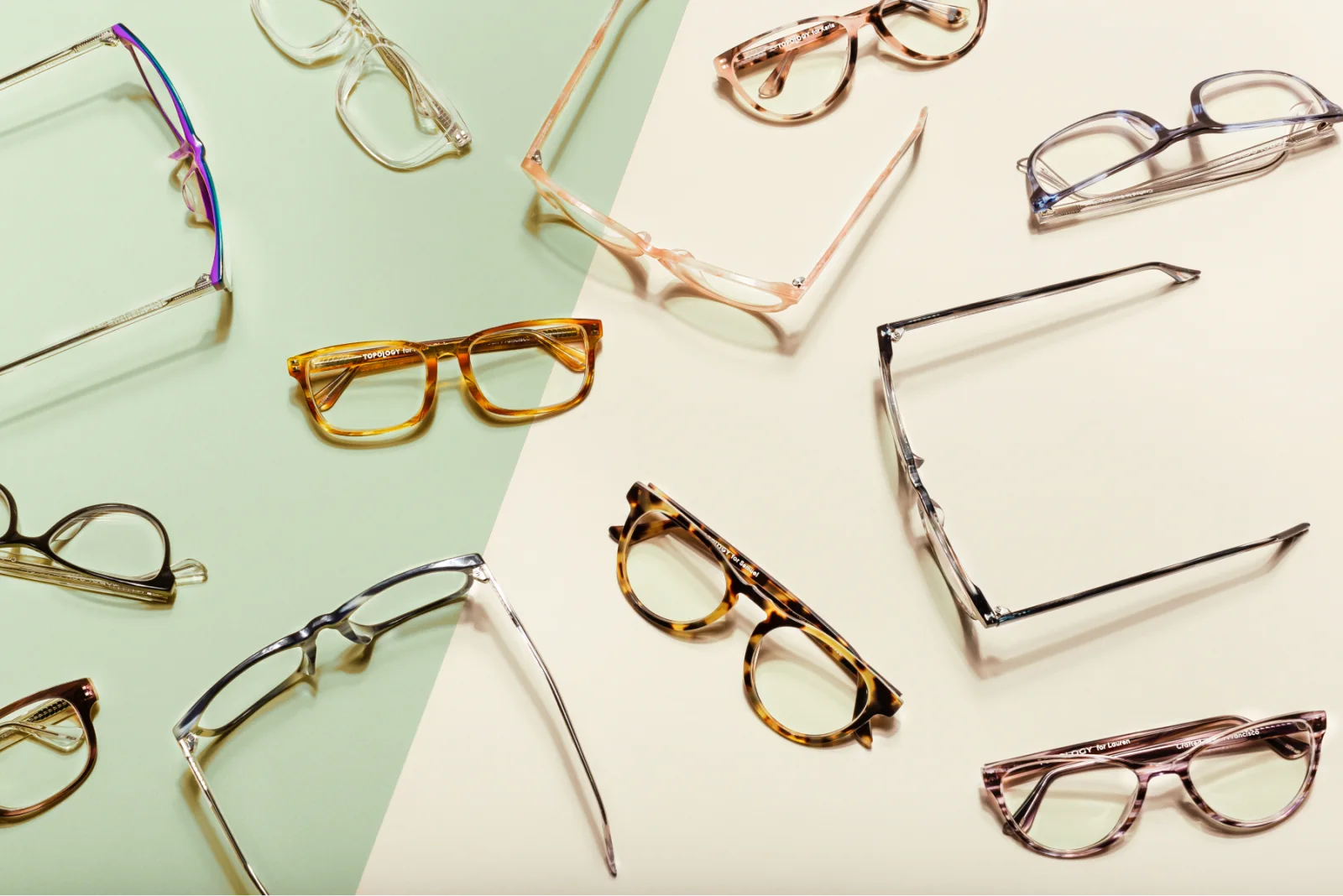
Ten frames laid out on pale green and cream paper: clear, honey, tortoiseshell, rose and metal
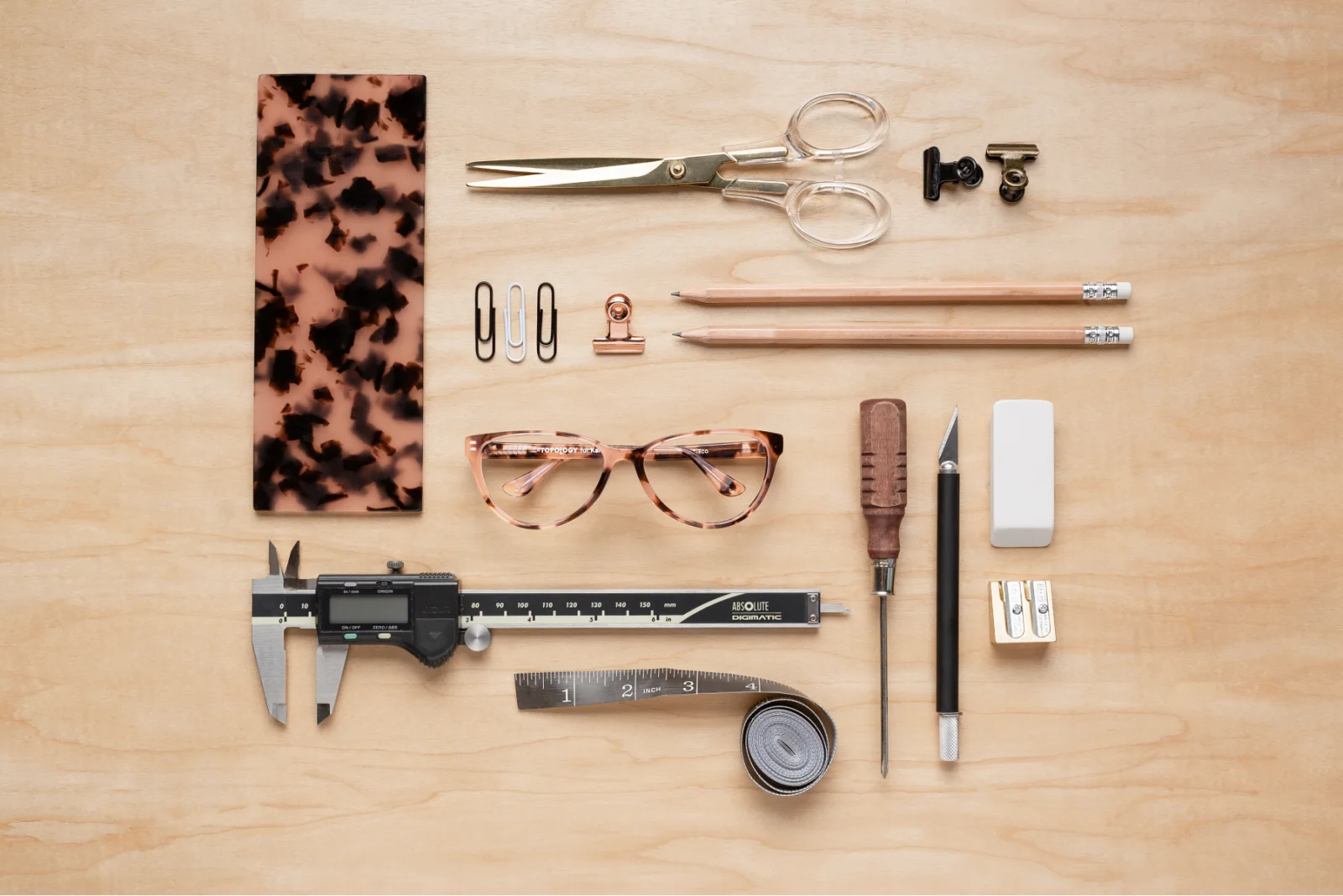
A workbench laid out in rows: a sheet of pink tortoiseshell acetate, a finished rose frame, a digital caliper, a tape measure, scissors, pencils and a knife

Looking back

What I’d do differently

Test the capture sooner
I’d put the pupil distance capture in front of people earlier, before it grew too many steps.
Build the library first
I’d start the shared library before the rebrand, so the new brand went in once, not screen by screen.

What I’d bring to your team

At Topology I made a 3D face scan and augmented reality try-on simple enough to do on a phone. I can make hard technology easy to use, and work it out with engineers until it’s built.

  • Augmented reality
  • 3D face scan
  • Custom eyewear
  • Rebrand

See all my workNext: Panols

  1. 1Complicated technology, made simple to use
  2. 2A brand carried through every screen
  3. 3Design worked out with engineering