Panols

MMXXVI–Present

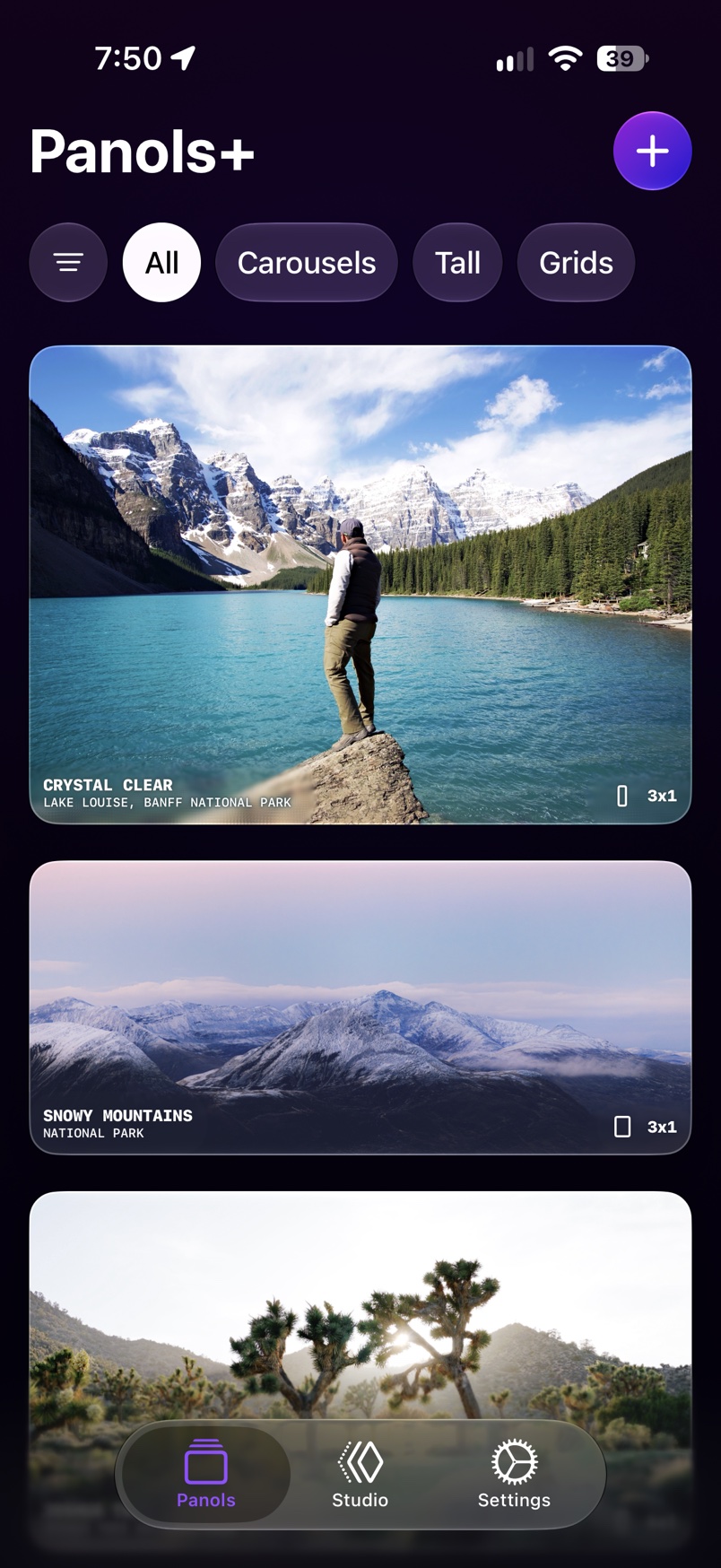
The Panols home screen, a list of wide photographs

I rebuilt Panols without an engineer

Founded December 2016. Relaunched August 30, 2026. Live on iOS.

Panols turns wide photos into posts you swipe through. It went four and a half years without an update, so in 2026 I rebuilt it with AI and had it back on the App Store in 16 weeks.

16weeks from first day of work to the App Store
7updates in the first 15 days
1,700automatic checks on the new app.
260,000+downloads since 2016
Role
Founder and product designer, working alone.
Team
An iOS engineer built the first app with me. The rebuild was me and AI.
Tools
Codex, Figma, Xcode.
Outcome
Relaunched in 16 weeks. The 2.8.0 build adds carousels with photos and video.

The app today

Five screens, all live in the app

Dashboard, Composer, Editor, Settings and Paywall.
The home screen, a list of wide photographs
Dashboard
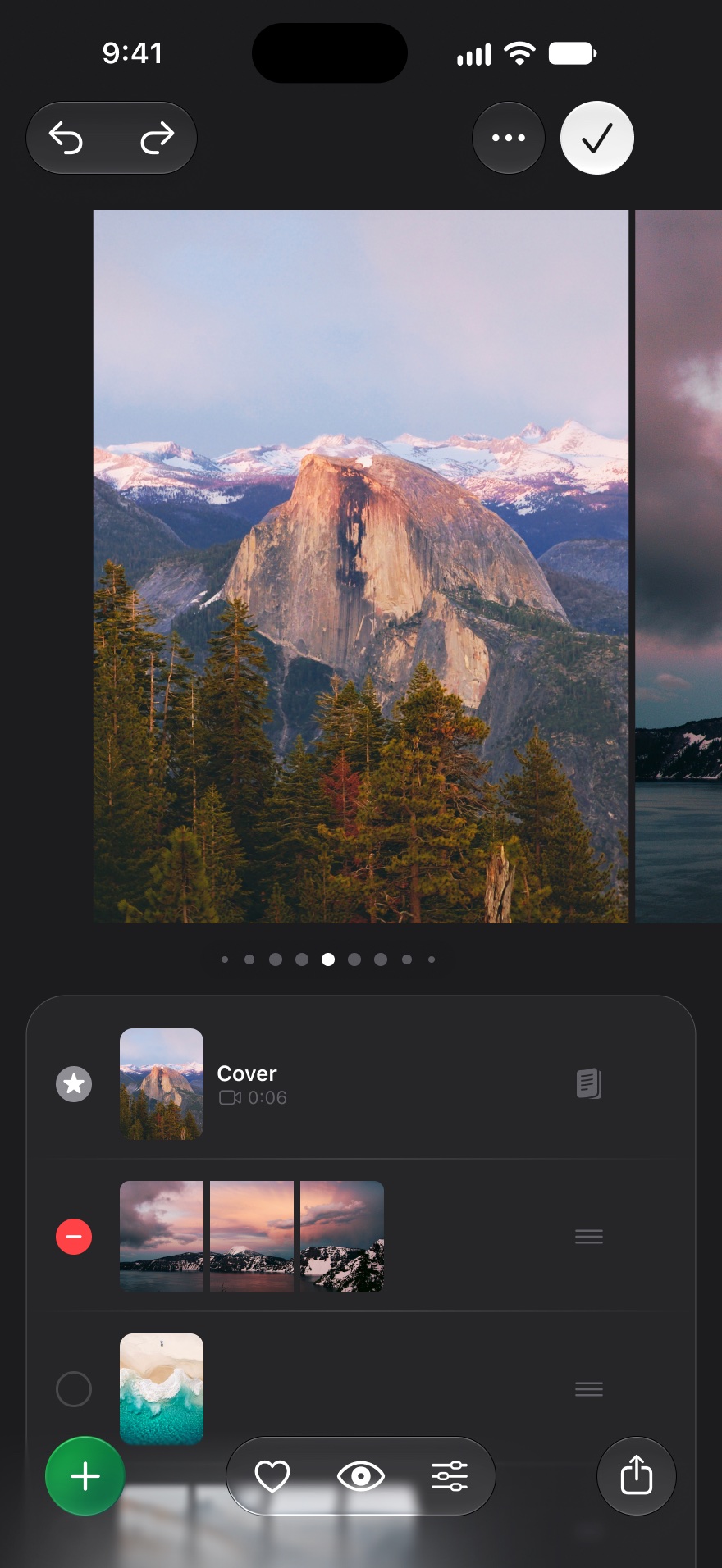
A post being put together from several photos, with a list of its slides below
Composer
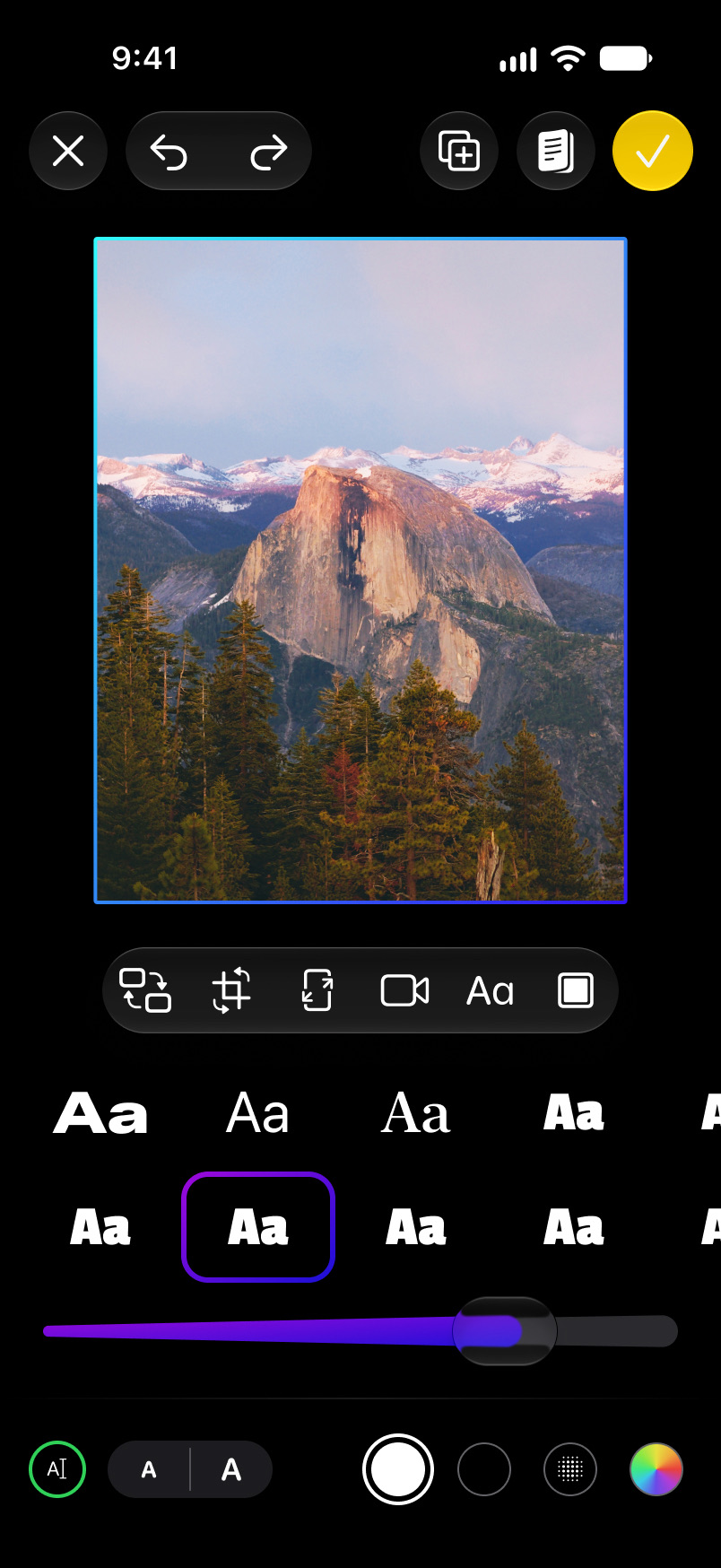
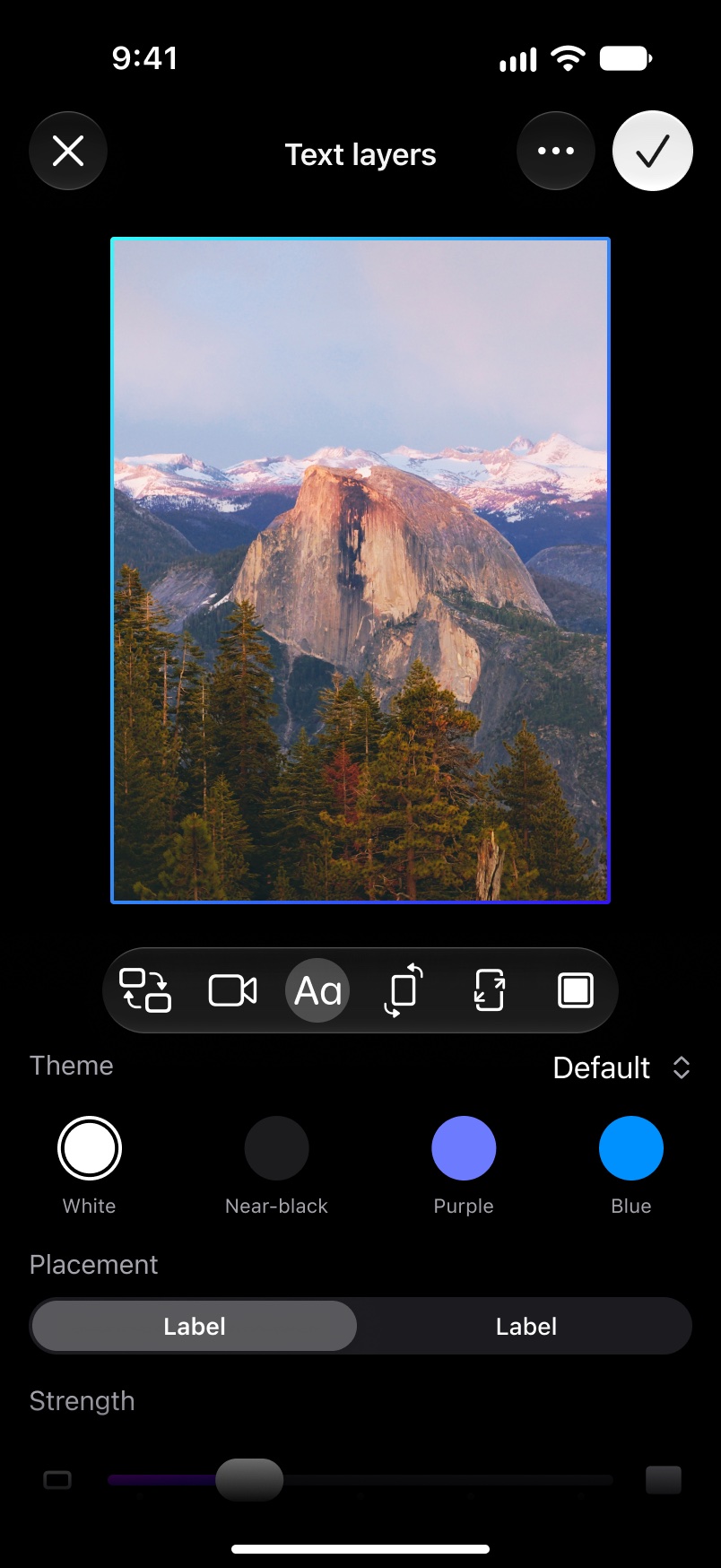
The editor with a row of lettering styles under a mountain photograph
Editor
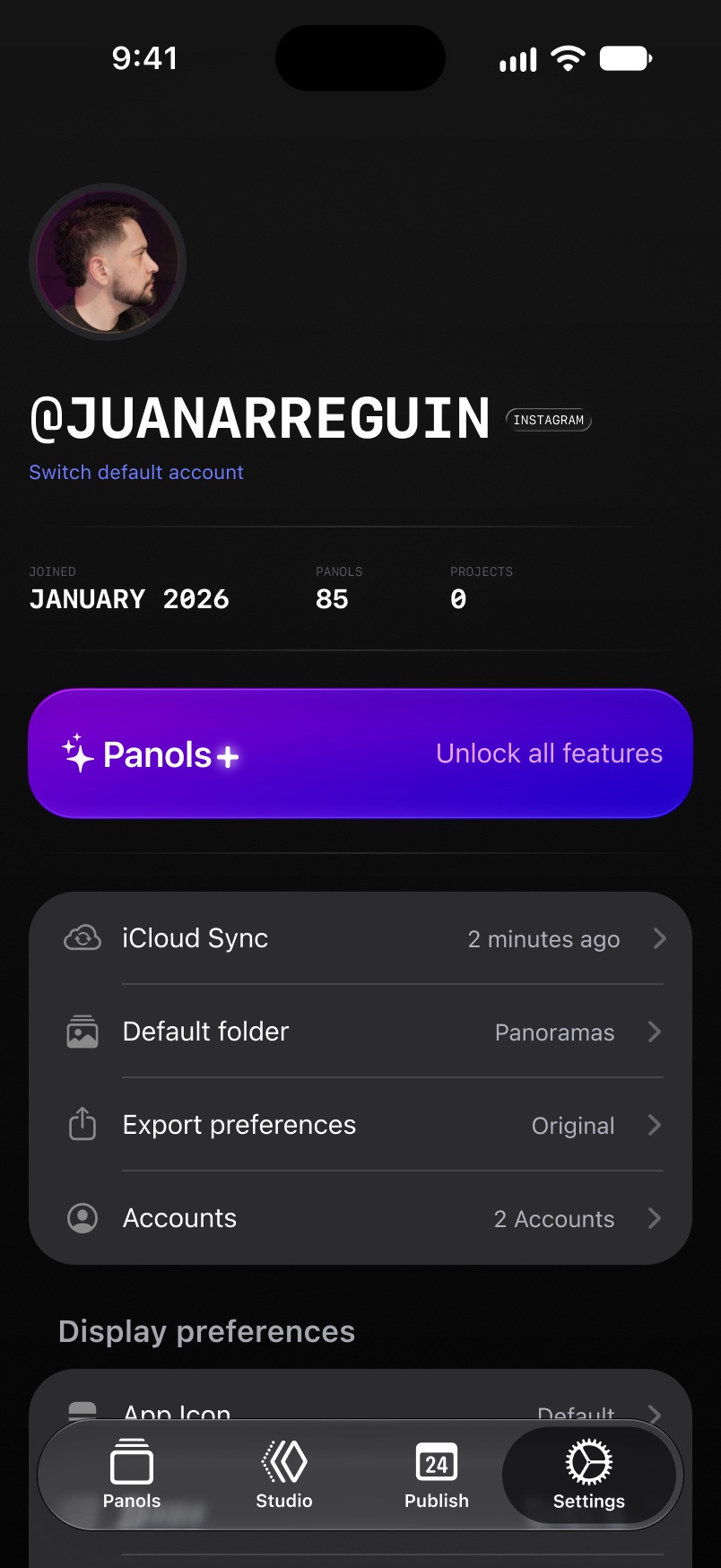
The settings screen, with a profile photo, backup, export and account rows
Settings
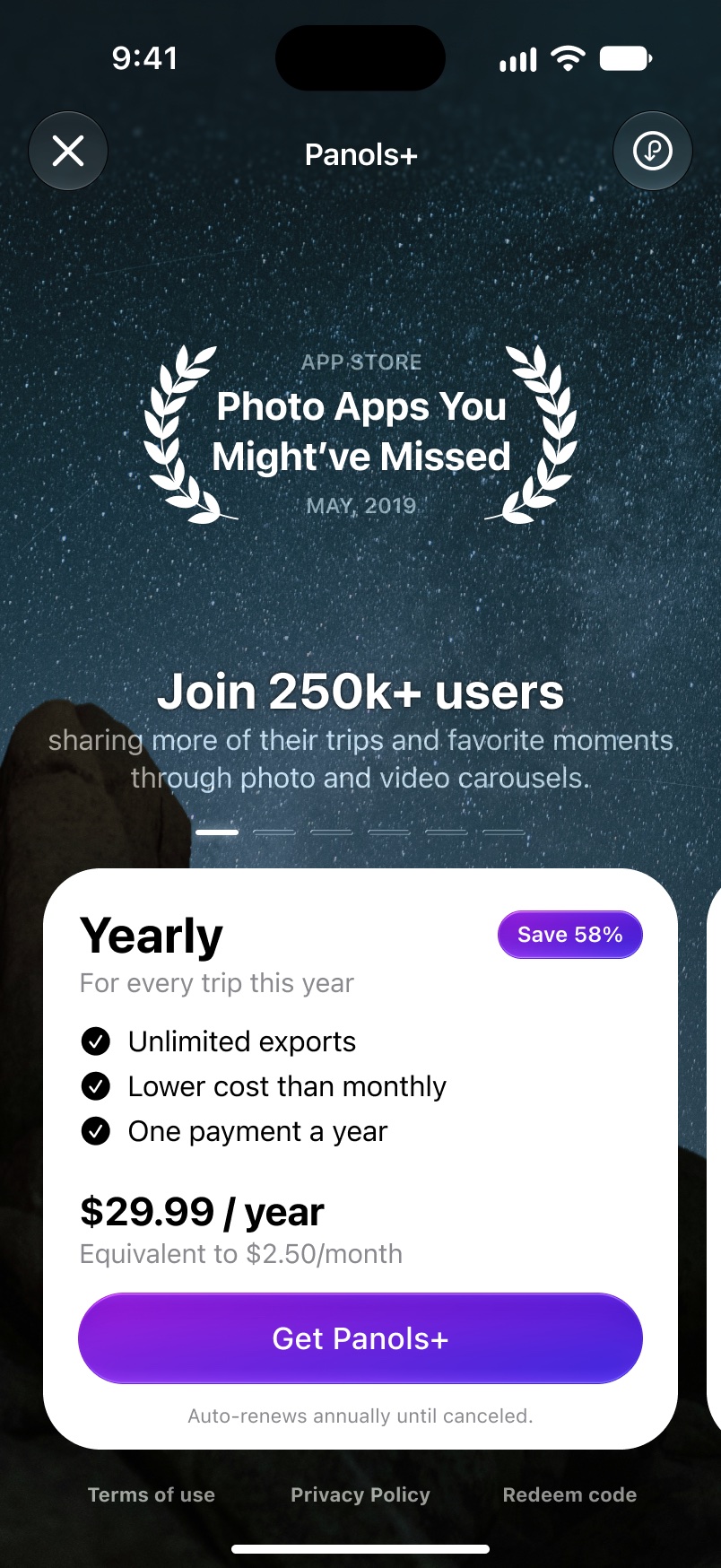
The subscription screen, with a yearly plan card over a night sky
Paywall

Original concept

One wide photo becomes three posts

Split your panoramic photos into Instagram posts.
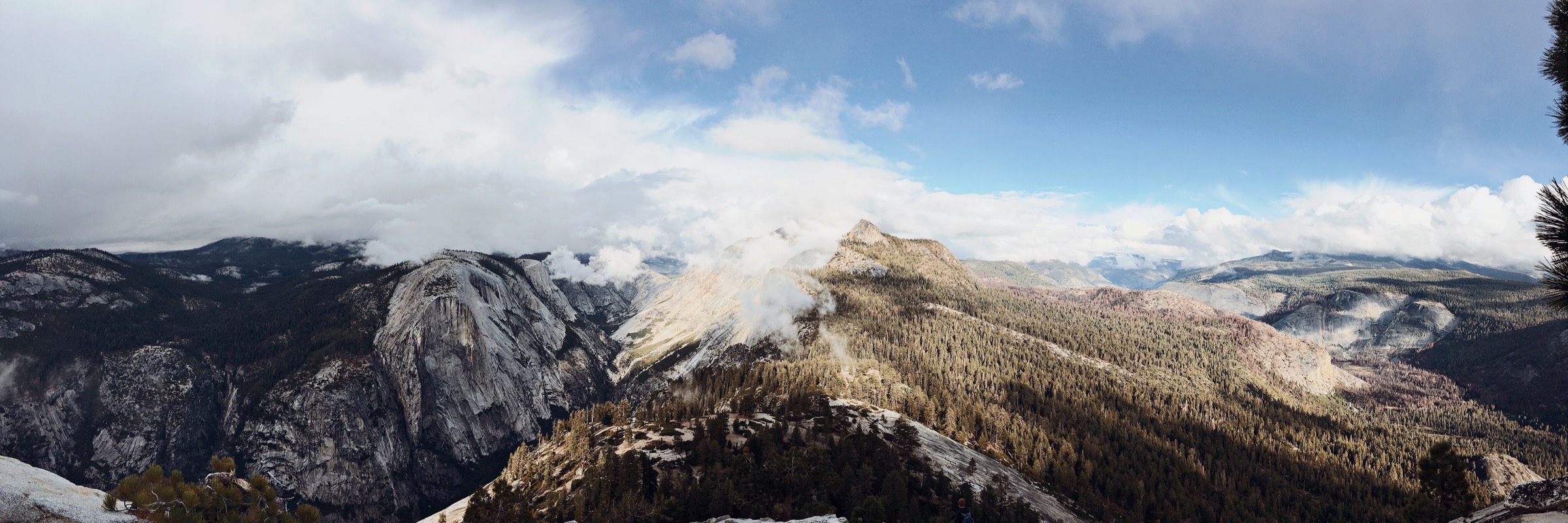
A wide photograph of granite mountains under low cloud, with two dashed lines cutting it into three equal parts

Instagram1 / 3

Swipe the post. The photo carousel will display on Instagram as a seamless photo. A demo built for this page, not a recording of the app. The photo is mine, and it’s the one in the app’s intro screens.

Before & after

Apple featured it. It went quiet for four and a half years. Then I rebuilt it with AI.

Panols has been downloaded more than 260,000 times since 2016. From February 2022 to August 2026 it didn’t get a single update.

20202026
The old home screen: three wide photographs in a plain dark list under a panols logo
BeforeHome, 2020
The new home screen: filters across the top and larger photographs
NowHome, 2026
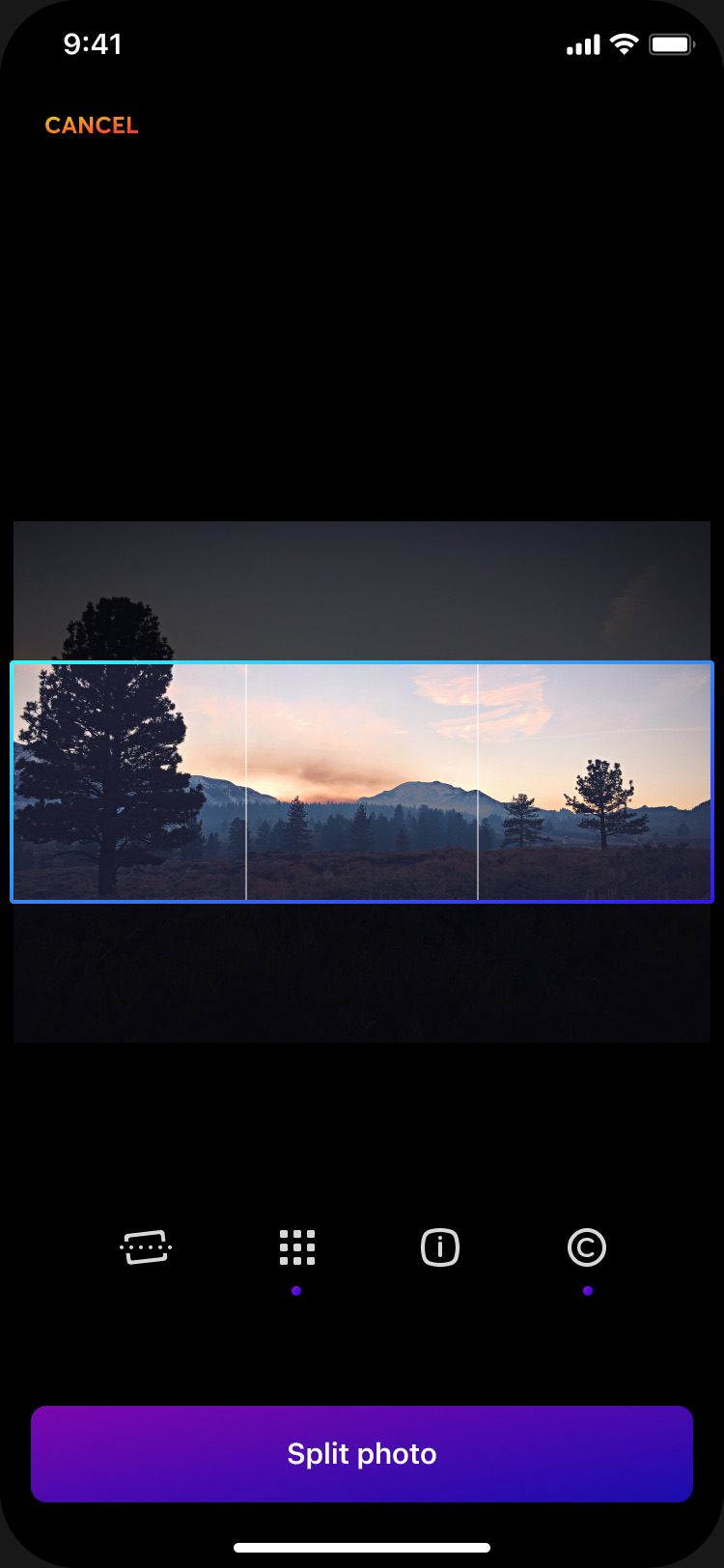
The old editor: a photograph with a three-part frame, four tools and a Split photo button
BeforeEditor, 2020
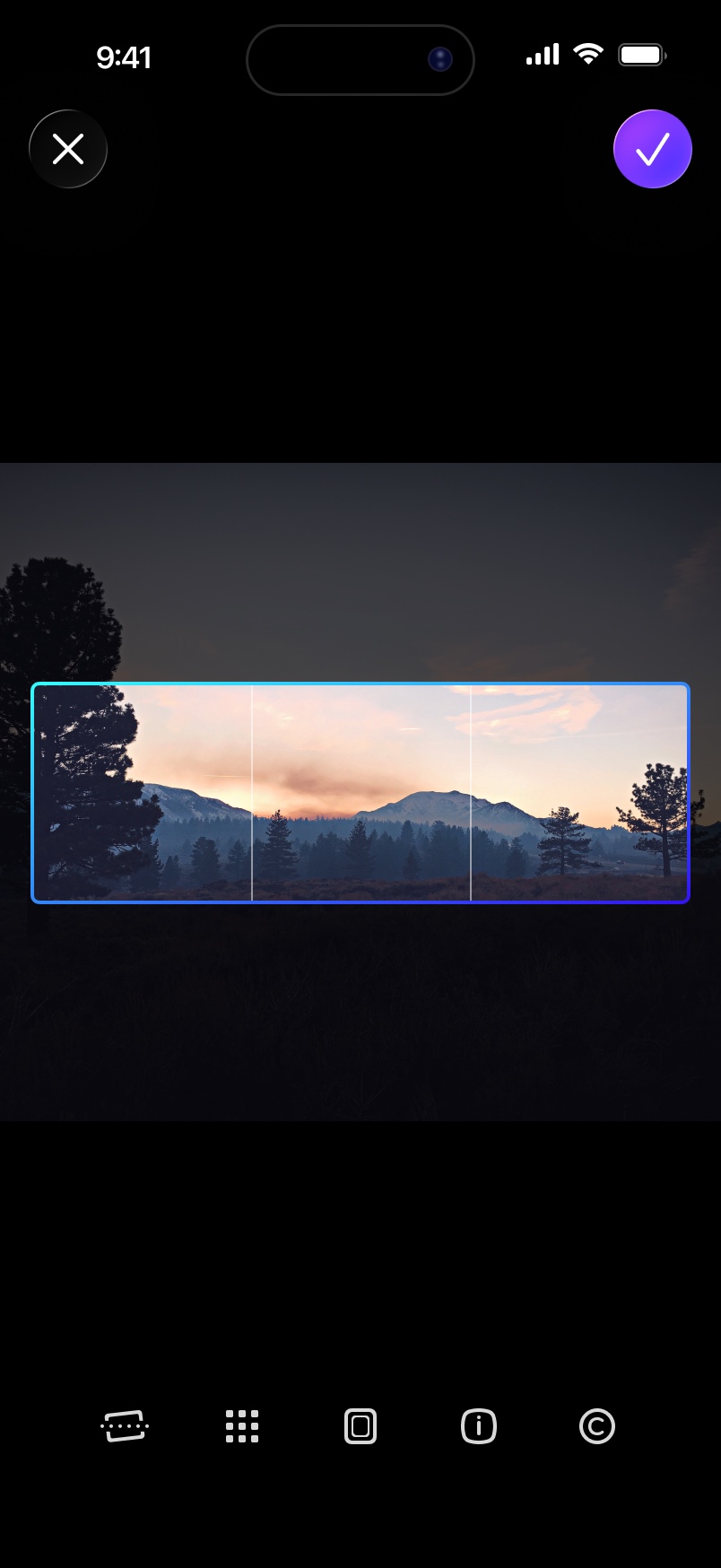
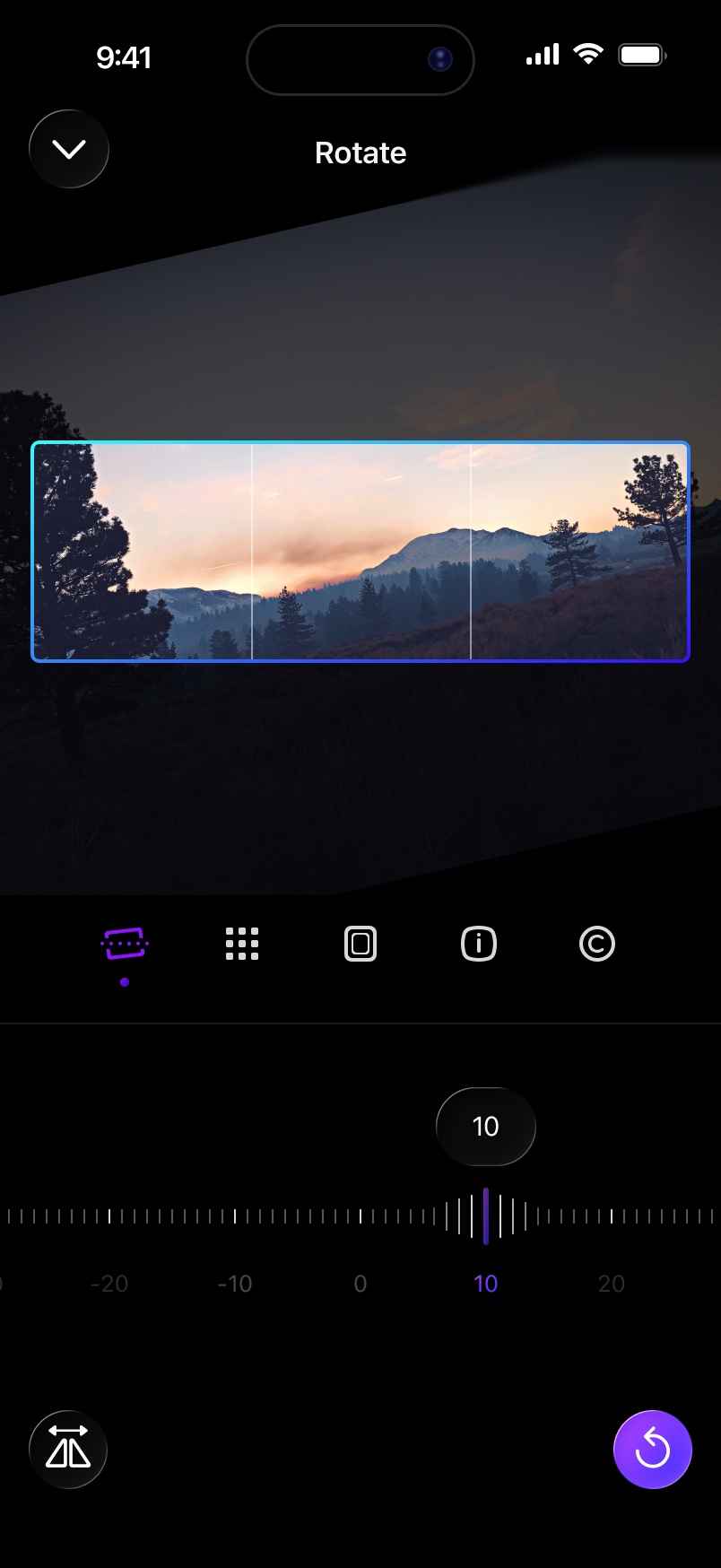
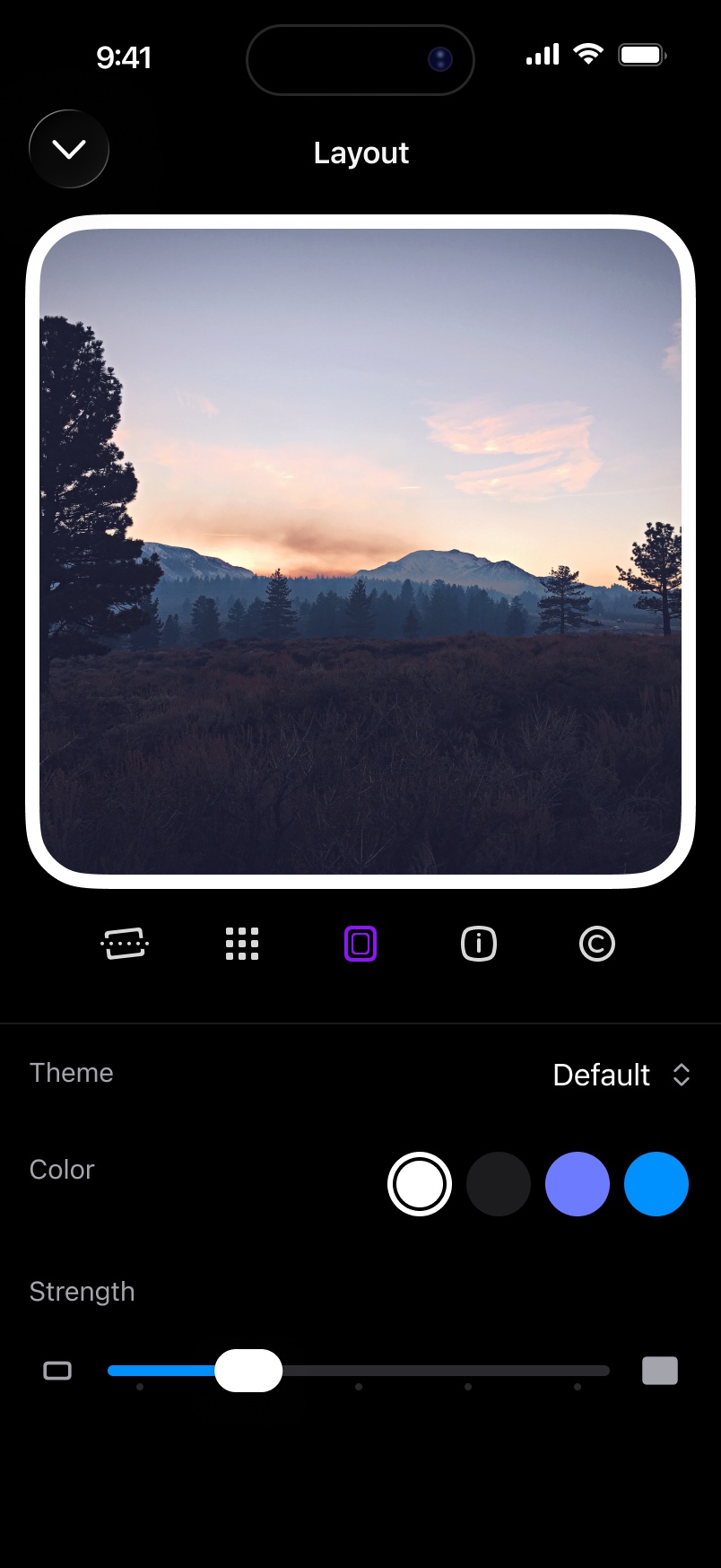
The new editor: the same three-part frame with close and done buttons above and five tools below
NowEditor, 2026
20172018201920202021202220232024202520262018-03: 8 saved changes2018-04: 11 saved changes2018-05: 18 saved changes2018-06: 25 saved changes2018-07: 25 saved changes2018-10: 1 saved changes2018-12: 5 saved changes2019-01: 4 saved changes2019-02: 2 saved changes2022-02: 1 saved changes2026-05: 89 saved changes2026-06: 155 saved changes2026-07: 147 saved changes2026-08: 222 saved changes2026-09: 309 saved changes1.0, December 15, 20161.1, December 18, 20161.2, January 26, 20171.3, November 7, 20172.0, December 28, 20182.0.1, December 31, 20182.0.2, January 2, 20192.0.3, January 4, 20192.0.4, January 8, 20192.0.5, January 13, 20192.0.6, February 6, 20192.0.7, February 26, 20192.0.8, December 1, 20202.0.9, February 15, 20222.5.0, August 30, 20262.5.1, August 31, 20262.5.2, September 1, 20262.5.3, September 3, 20262.5.4, September 7, 20262.5.5, September 11, 20262.7.0, September 13, 2026Four and a half years with no updatesFirst version, December 2016Built with an iOS engineer2026: rebuilt with AI in 16 weeks, then 7 updates in 15 daysRecorded changes per month201820202022202420262018-03: 8 saved changes2018-04: 11 saved changes2018-05: 18 saved changes2018-06: 25 saved changes2018-07: 25 saved changes2018-10: 1 saved changes2018-12: 5 saved changes2019-01: 4 saved changes2019-02: 2 saved changes2022-02: 1 saved changes2026-05: 89 saved changes2026-06: 155 saved changes2026-07: 147 saved changes2026-08: 222 saved changes2026-09: 309 saved changes1.0, December 15, 20161.1, December 18, 20161.2, January 26, 20171.3, November 7, 20172.0, December 28, 20182.0.1, December 31, 20182.0.2, January 2, 20192.0.3, January 4, 20192.0.4, January 8, 20192.0.5, January 13, 20192.0.6, February 6, 20192.0.7, February 26, 20192.0.8, December 1, 20202.0.9, February 15, 20222.5.0, August 30, 20262.5.1, August 31, 20262.5.2, September 1, 20262.5.3, September 3, 20262.5.4, September 7, 20262.5.5, September 11, 20262.7.0, September 13, 2026Four and a half yearswith no updatesBuilt with an iOS engineerFirst version, December 20162026: rebuilt with AI in 16 weeks,then 7 updates in 15 daysRecorded changes per month

Each red dot is an update on the App Store. The bars show how much work was recorded each month. The 2020 screens come from my design file for version 2.0.8.

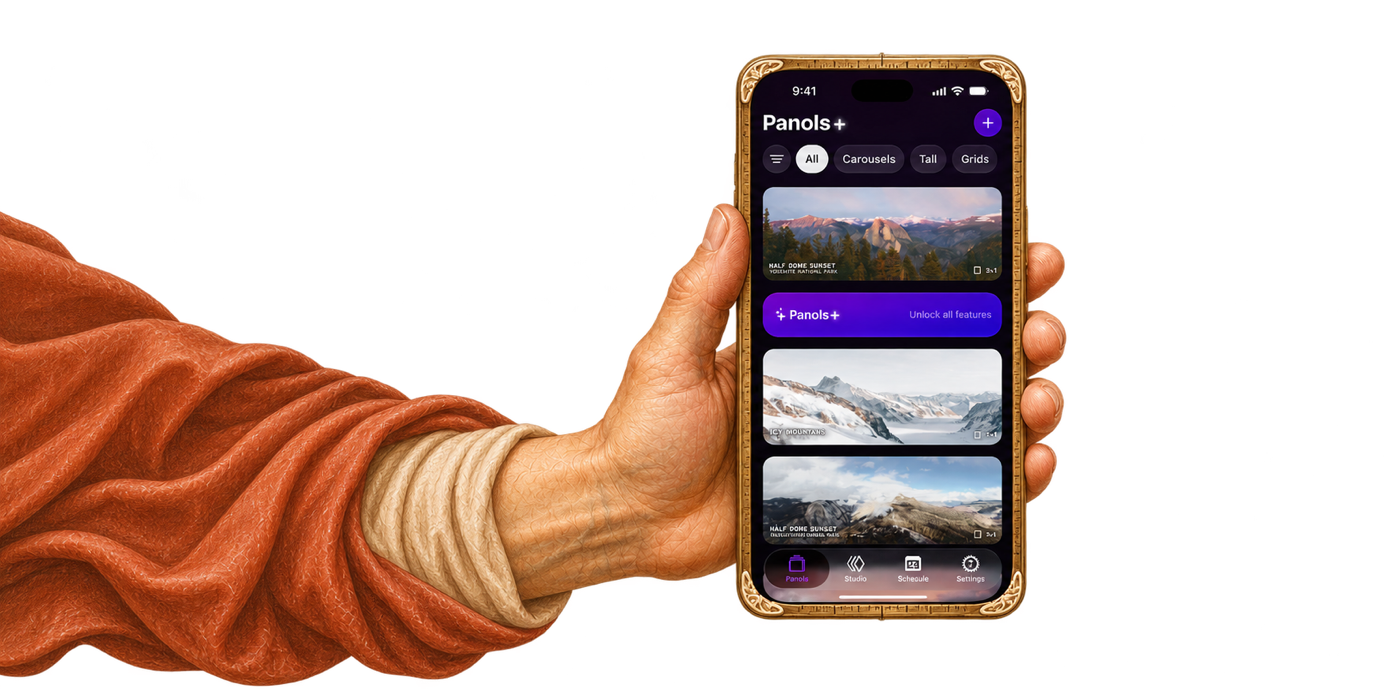
A painted hand holding a phone that shows the Panols app

The bet

AI wrote the code. I decided what it built.

  • AIWrote the code, wrote and ran 1,700 automatic checks, and translated the app into 47 languages.
  • MeDesigned the screens in Figma, wrote a one-page brief, design rules and four how-to guides for the AI, and watched each change run before calling it done.

Native speakers haven’t reviewed the translations yet.

The design+development cycle

  1. 1LookKickstartReviews, tester feedback, sales
  2. 2DesignFigmaThe AI opens my real designs
  3. 3BuildCodexWrites the code
  4. 4TestXcodeBuildMCPRuns the app and takes screenshots
  5. 5ShipXcode Cloud, GitHub ActionsSends each update to testers
  6. 6LearnPostHog, RevenueCatHow people use it, what they buy

The design

I designed the screens before AI built them

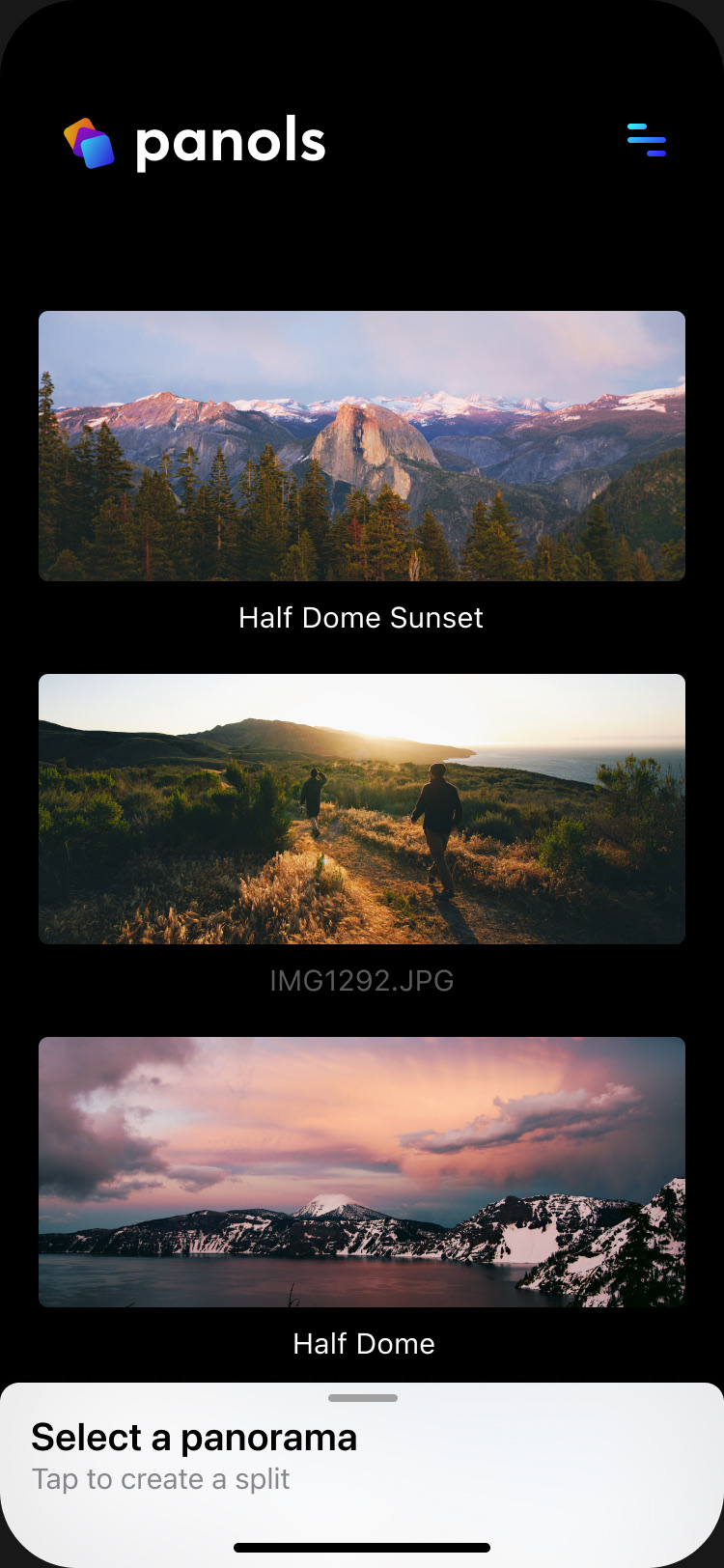
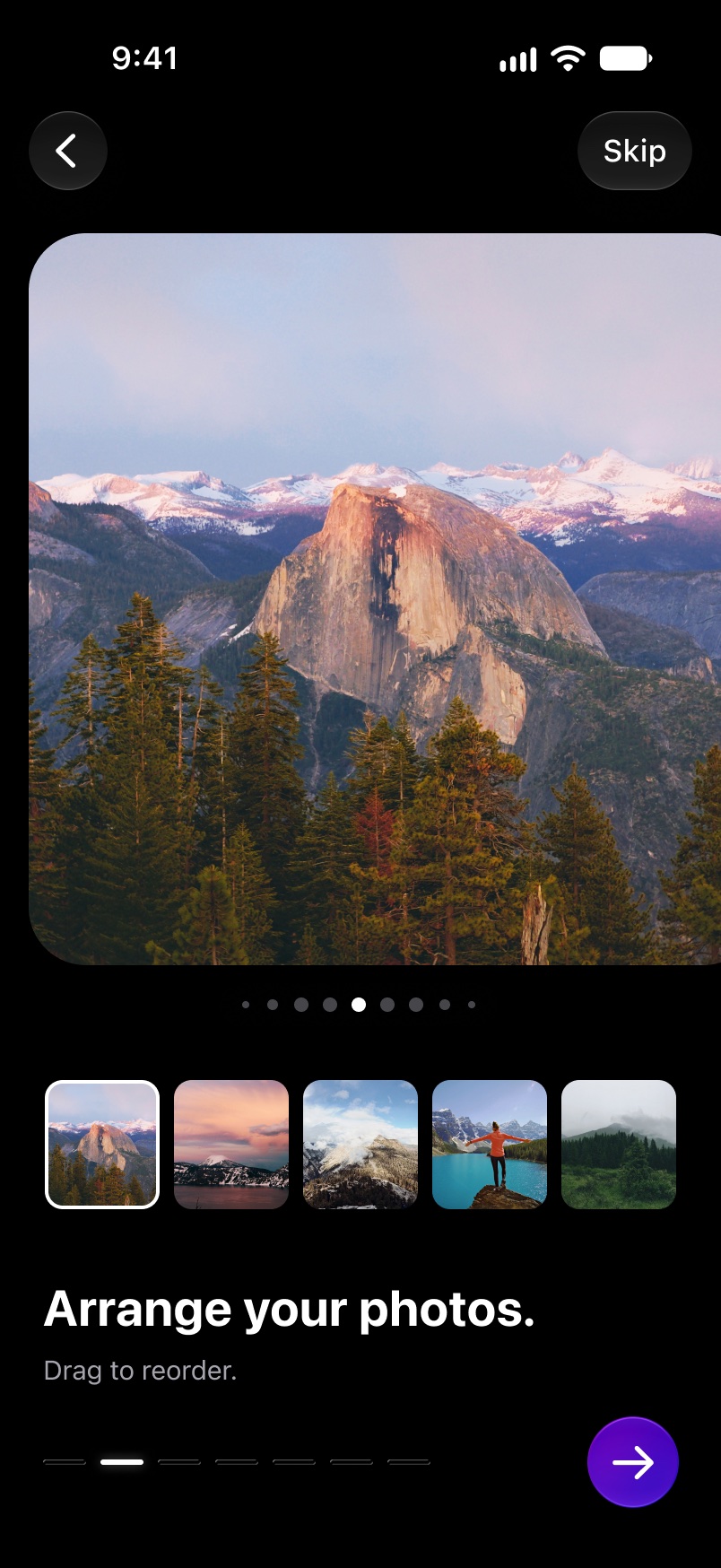
The app in four screens: pick photos from a trip, put them in order, split a wide one across several posts, and check the swipe before you share.
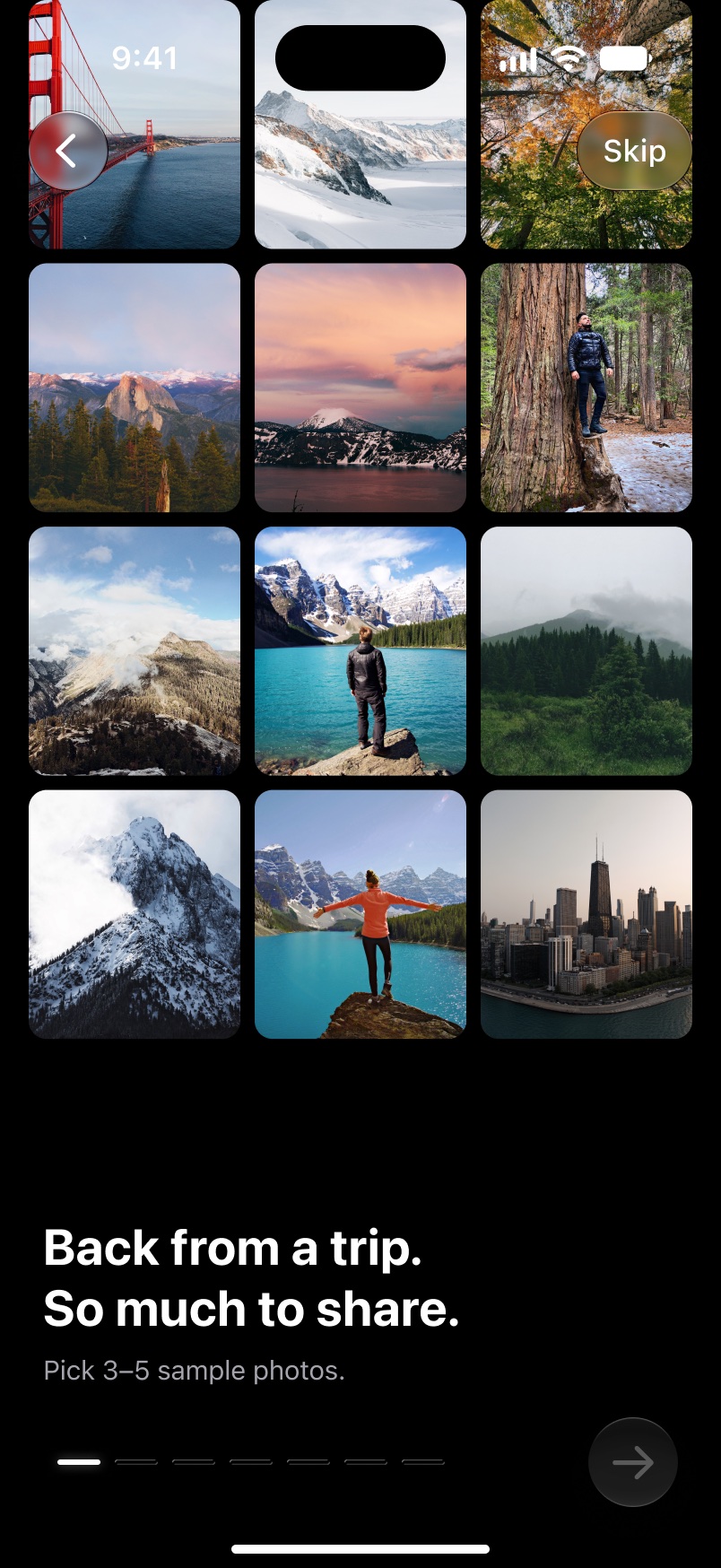
A grid of travel photographs under the words Back from a trip. So much to share.
1 · PickChoose the photos from a trip.
A large mountain photograph with a row of smaller photos beneath it, under the words Arrange your photos.
2 · ArrangeDrag them into order.
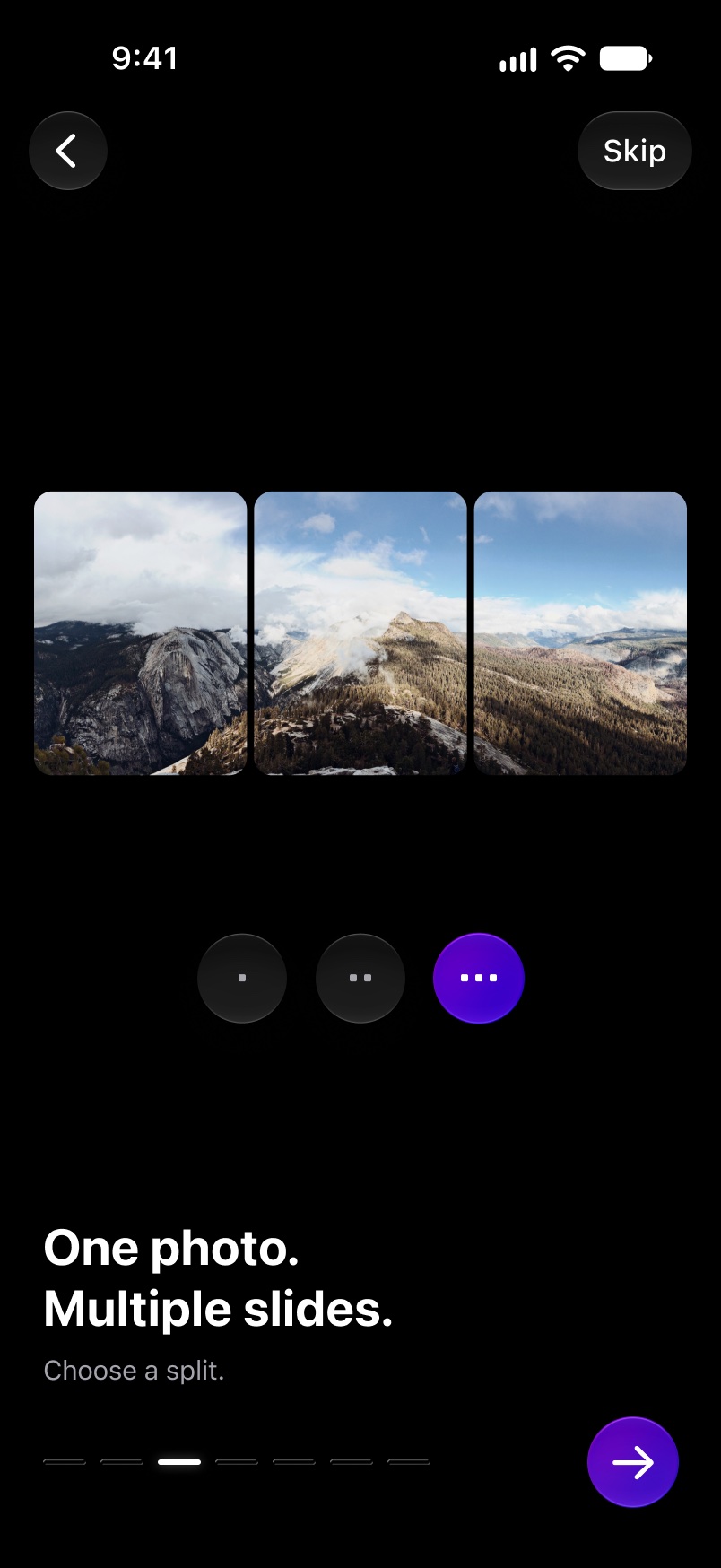
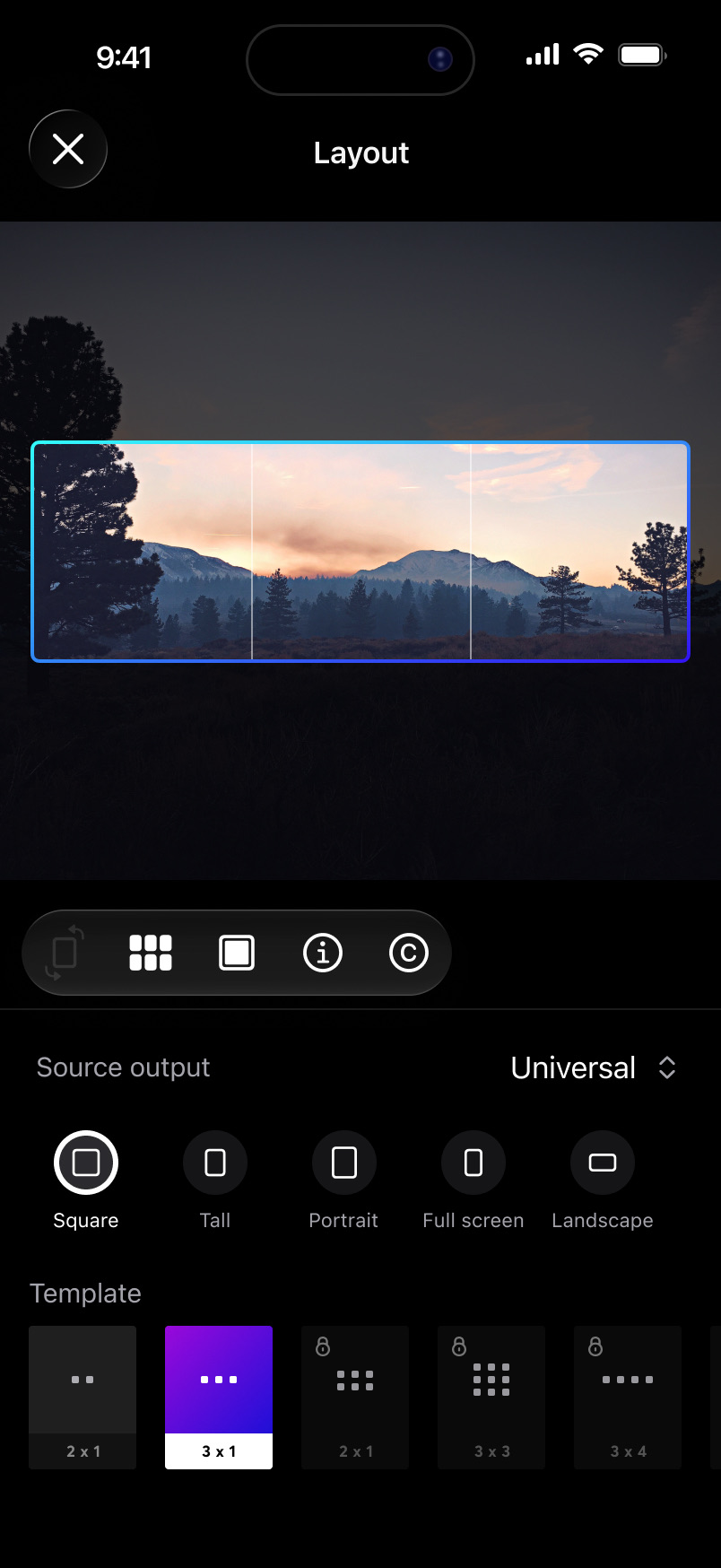
One wide mountain photograph cut into three joined frames, under the words One photo. Multiple slides.
3 · SplitOne wide photo becomes several posts.
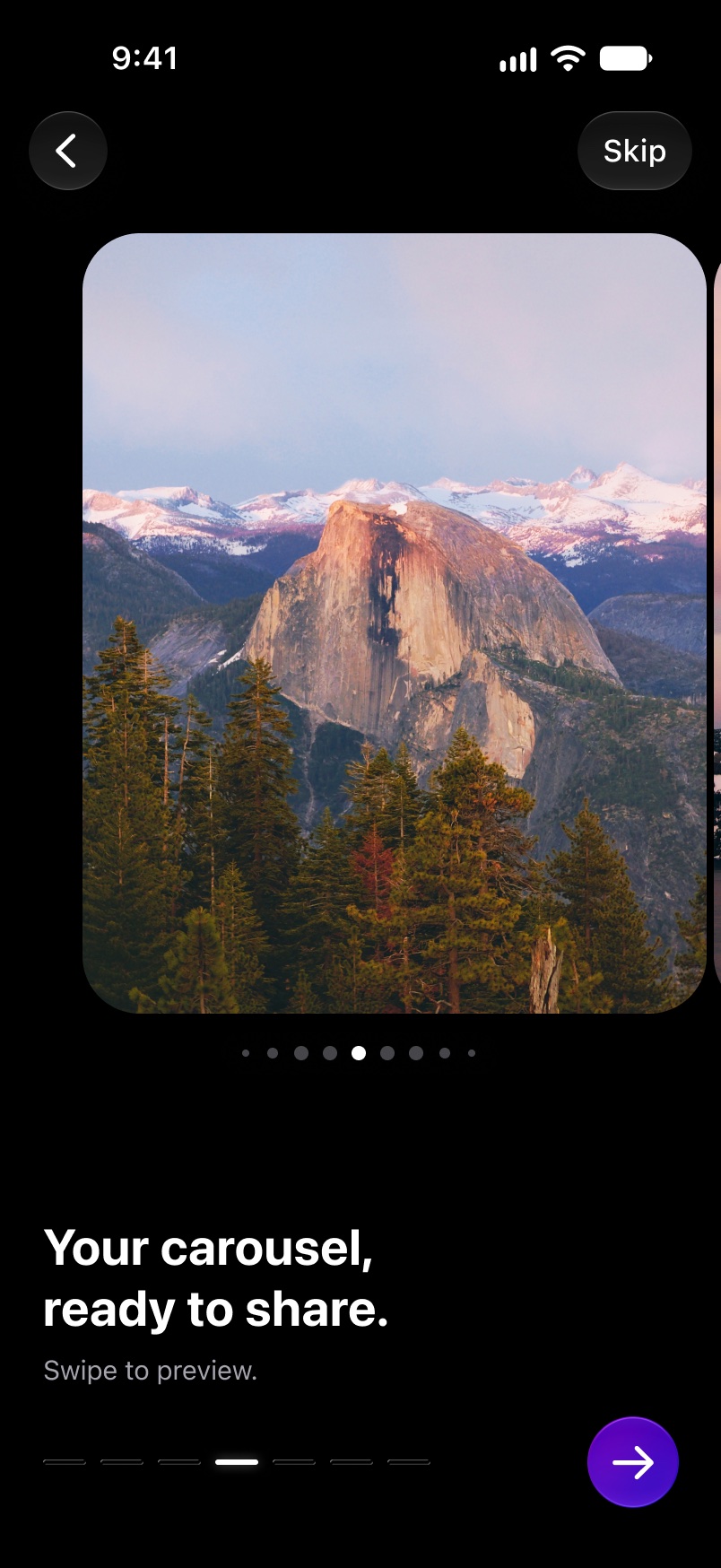
A finished post ready to swipe, under the words Your carousel, ready to share.
4 · ShareSwipe through it before you post.

Choose the photos from a trip.

The editor with a wide mountain photograph and a three-part frame laid over it

The editor is built around the edges of the photo

You need to see where a swipe will cut the picture. So the whole photo stays in view, and the two cuts sit right on top of it.

Three posts, two cuts, on the photo itself.

One editor, 19 screen sizes

From the smallest iPhone to a 13-inch iPad, upright and sideways, including a phone that folds.

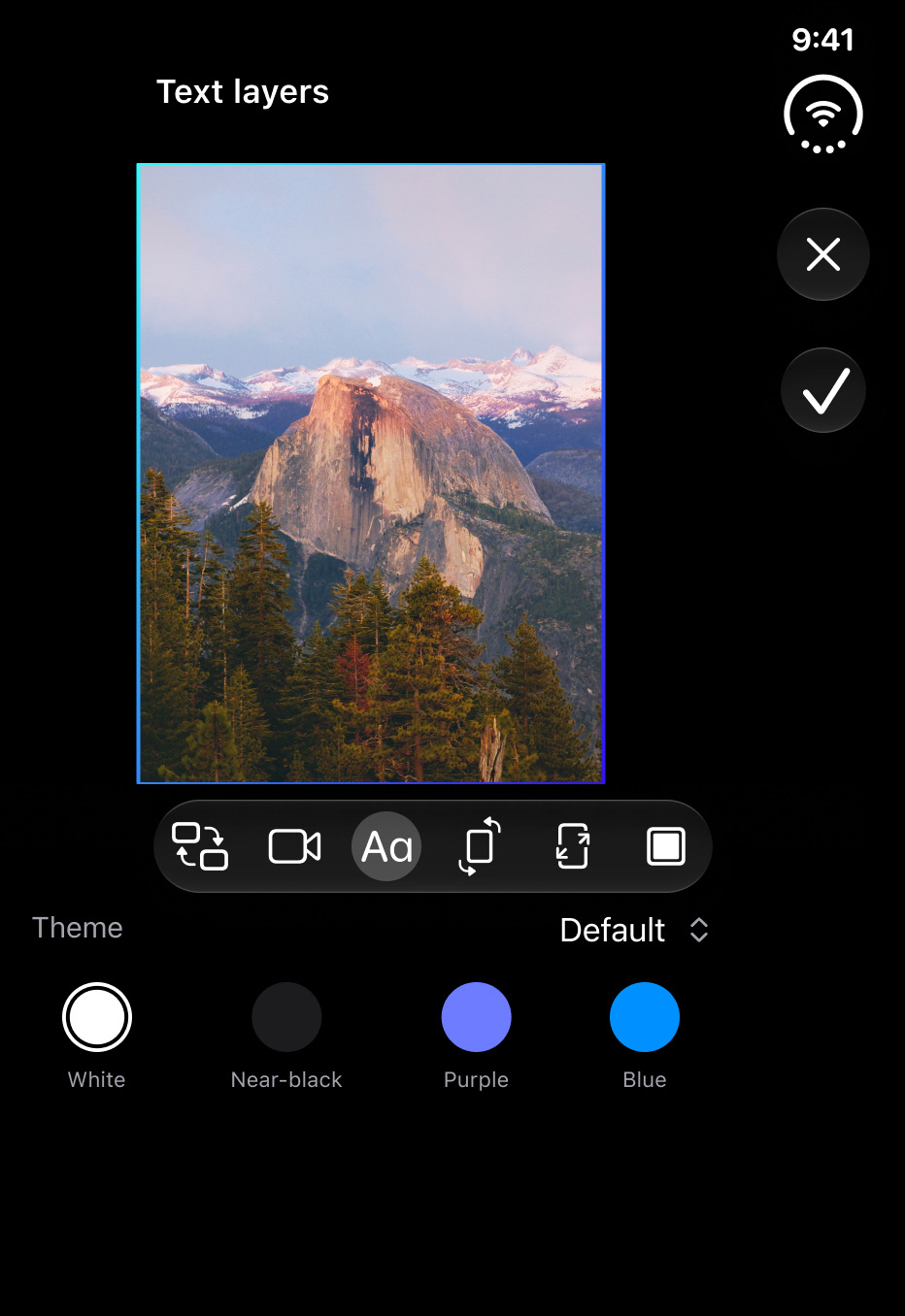
The least room. The photo stays whole and the first controls sit right under it.

The photo on top, the tools under it, and more of the controls in view.

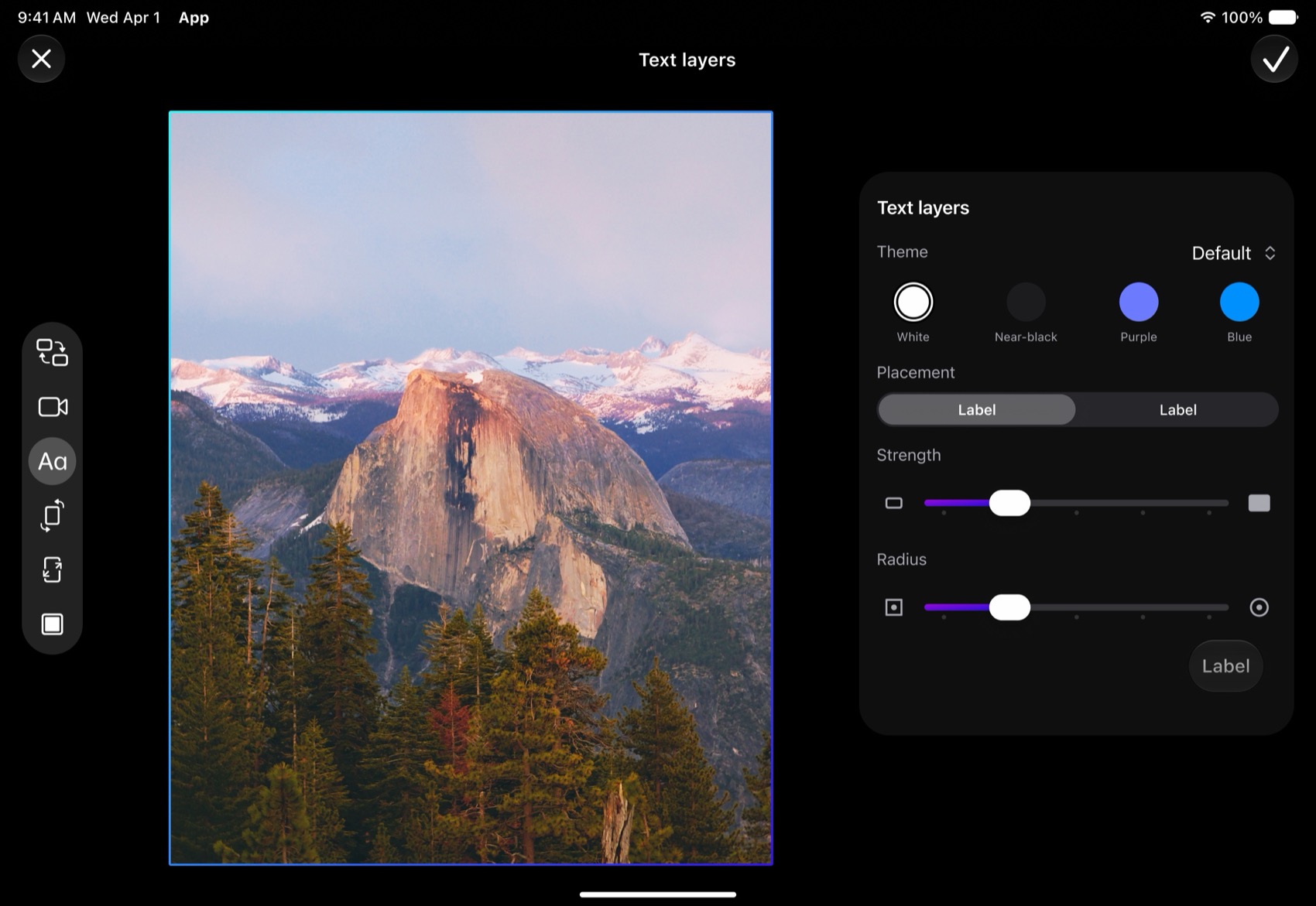
The tools move to a strip on the left, and the controls sit in a panel beside the photo.

Closed, it lays out like a phone. Opened, the tools move to a strip on the left and the controls sit in a panel beside the photo.

The least room. The photo stays whole and the first controls sit right under it.
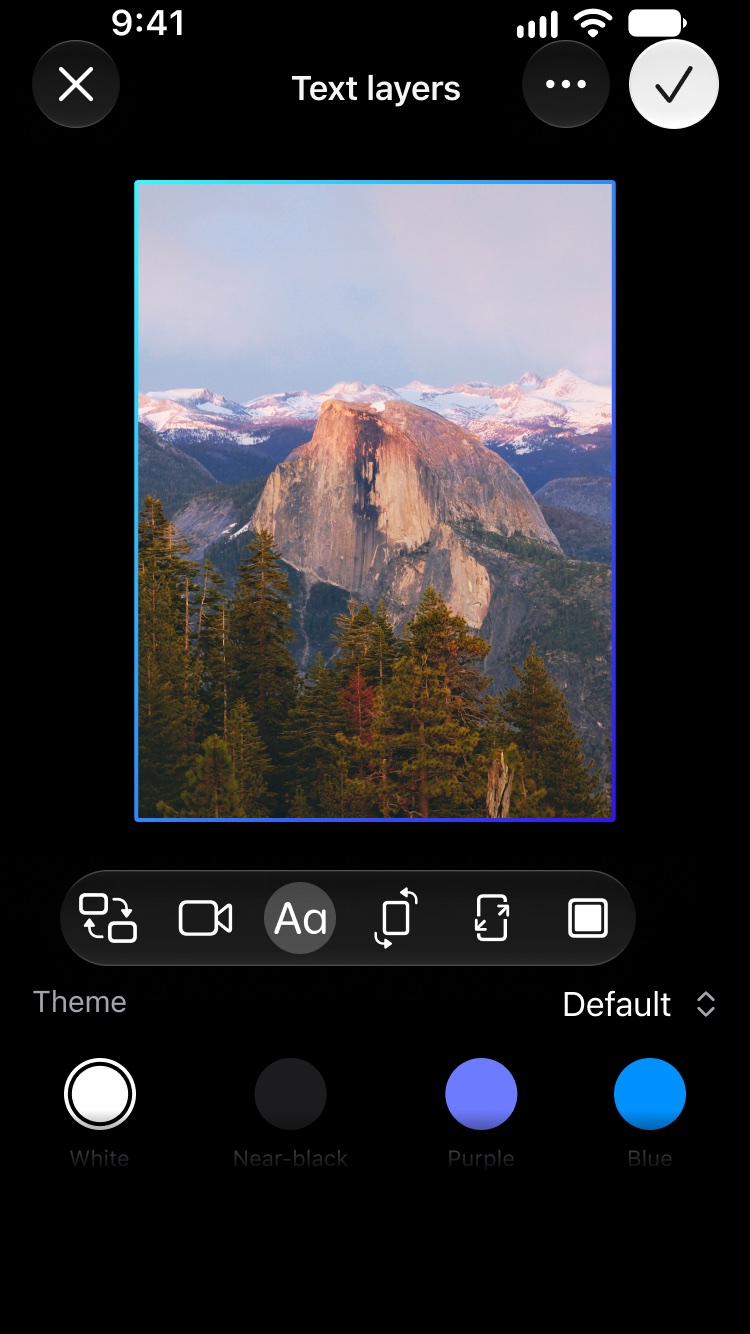
The text tool on a small iPhone

All four are drawn at the same scale.The iPhones and the iPhone Duo are drawn at the same scale. The iPad is shrunk to fit. The device frames are drawn for this page.

Every screen on this page is live in the app today. The images come from my design file.

What went wrong

The launch broke old saved work. I fixed it in four days.

My test had passed on my own phone. So I went back on a decision I’d made in July, and the app now rebuilds saved work from each person’s own photo library.

Pick an update to see what changed.

303112345678910111213

AugustSeptember 2026

Projects: a post being put together from several photos, with a list of its slides below

The result

Sixteen weeks to relaunch. Seven updates in the next fifteen days.

Projects, which puts photos and video together in one post, is live in the app too.

46 min 50 sFrom “send it” to testers having an update on their phones. Timed once, in October 2026.
12 purchases$232.59 in the first 51 days. That’s small, and I’m still working on it.
Looking back

What went right, and what went wrong

Four things that worked and four that didn’t.

Went right

  1. People who already had the app came first

    I rebuilt the part that finds people’s saved work first, and left Projects until they could recover, crop and export again. Everyone who owned the old app kept full access, including people who got it through a promotion.

  2. A tester’s report fixed the first screens

    I hid the Next button while the phone asked for access to Photos, and testers thought it had moved. I made three other versions and went through them with the person who reported it. Now Next stays where it is.

  3. The next feature came from a question

    “But it only does one photo?” Photographers wanted to plan a whole trip in one post. That became Projects, where you mix wide photos, single photos and video.

  4. A customer’s report showed me the problem

    One customer sent a report that showed duplicate entries in their saved work. The healthy ones were recovered and nothing was deleted. Now anyone can send a report from inside the app, and they choose whether to share it.

Went wrong

  1. My test passed, and people still couldn’t open their work

    On my phone, all 301 saved Panols survived when I force-quit the app halfway through the move. The day after launch, work saved in 2018 and 2019 wouldn’t open for some people, and a quick fix didn’t hold.

    What I changedI went back to an idea I’d turned down in July: rebuild each person’s work from their own photo library. It was live four days after launch.

  2. The checks passed while the app felt wrong

    From May to July, early versions passed their checks while the screens drifted away from how iPhone apps normally behave. A sheet could look right in two screenshots and still move wrong in between.

    What I changedI picked one of Apple’s standard interactions, gave the AI my Figma design, asked for one change at a time, and tried each one on my phone.

  3. My own process got too heavy

    After each rough patch I wrote down what went wrong. The process that came out of that grew too heavy.

    What I changedIn October I threw it out. My rule: a new rule has to replace an old one.

  4. Changes made at the same time kept colliding

    When I ran several changes at once, they kept running into each other.

    What I changedEach task now gets a design to match, a limit on what it can touch, and a check on the device. Checks and builds wait their turn in a queue. One update in October reached testers in 46 minutes and 50 seconds.

For your team

What I’d bring to your team

At Nubank I used Claude and Cursor to prototype product ideas. On Panols I took my own idea all the way to the App Store.

See all my workNext: Nubank US

  1. 1A brief that people and AI both work from
  2. 2Your design system, written as rules AI can follow
  3. 3Nothing counts as done until someone has watched it run

The three paintings were generated with AI. App screens are images from my design file; all of them are live in the app. Update dates are from the App Store. Downloads are Apple’s count, November 2026. I never measured a team doing the same work, so I don’t claim this was faster. Updated November 18, 2026.